
Demo Summary
In this video, you see the Talkdesk Microsoft Teams Connector. It helps agents and experts work together in Teams. You learn how to use automations (alerts) to send voicemails or call alerts to Teams channels. You learn how to use the Directory app in Talkdesk to find and call Teams users. You also learn direct routing to transfer calls or add experts to calls. This makes customer support faster and easier.
AI-Detected Features
Introduction to the Teams ConnectorLearn how the Talkdesk Microsoft Teams Connector breaks down silos, speeds up issue resolution, and improves the customer experience by linking agents and experts.
00:08
Connector Features OverviewA quick look at the three key capabilities: Automations for alerts, the Directory app for finding Teams users, and Direct Routing to move calls between Talkdesk and Teams.
00:28
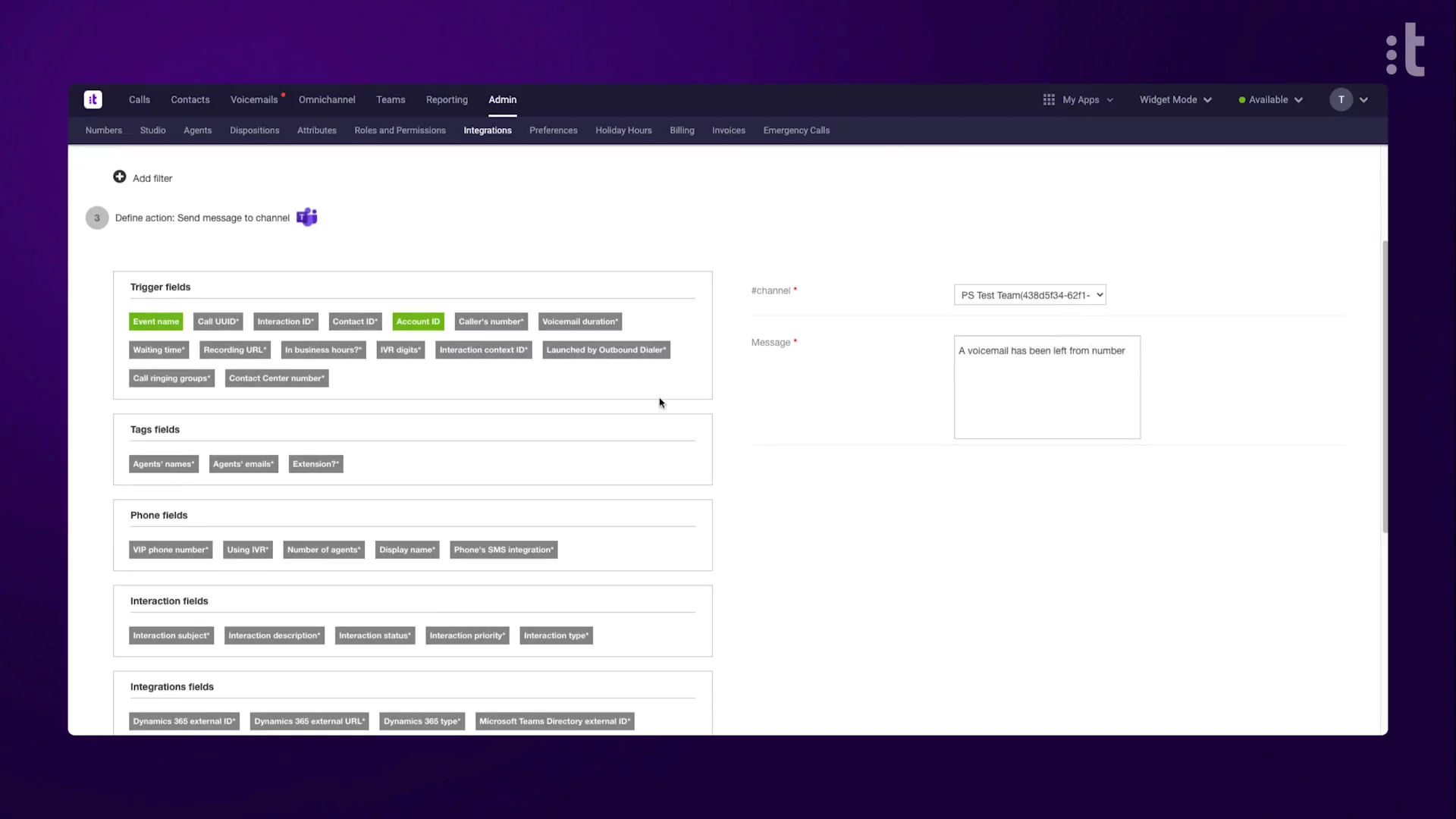
Setting Up Teams NotificationsConfigure automations to send Contact Center event alerts—like voicemails or abandoned calls—to the right Teams channel using filters and custom message formatting.
00:53
Using the Directory ApplicationFrom Workspace Contacts, search by name or role to find Teams users and click the phone icon to call them without leaving Talkdesk.
01:22
Direct Routing Calls to TeamsTransfer or conference a live call to Teams users. Blind transfer, consult, or add experts into calls to escalate or resolve customer issues.
01:51
ConclusionThat’s the Talkdesk Microsoft Teams Connector—bringing alerts, directory lookup, and call routing together to streamline collaboration.
02:26

Talkdesk
Talkdesk is a global cloud contact center leader that helps enterprises deliver exceptional customer experiences through its AI-powered CX platform. Learn more about TalkdeskMore Demos (2)
Interactive Demos (0)
Useful Links & Resources
Related companies

Salesroom
Real-time sales assistant to close more deals.

Avoma
Enhances meeting productivity with AI-powered note-taking, insights, collaboration, and workflow automation.

Scratchpad
AI-driven CRM Hygiene.