
Demo Summary
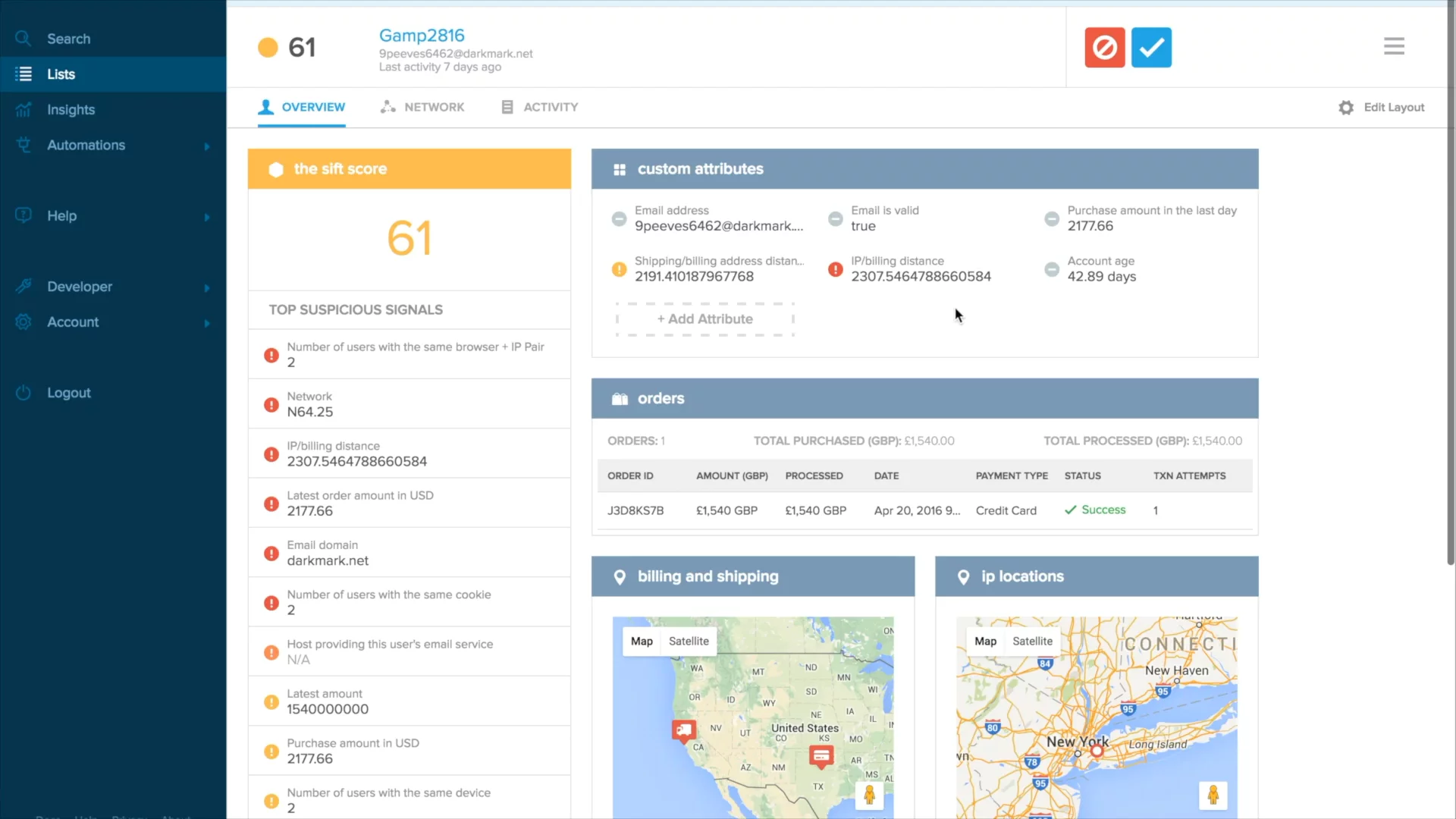
In this video, Aaron from SIFT shows the SIFT Science Console. You will see how to find and review risky orders or users. First, you pick high risk scores and make a list. Then you click an order to see details like billing address, shipping address, and items bought. Next, you open the user page to see why they got that score. You can change which sections you see, like user details, devices used, and past activity. This helps fight fraud and protect your site.
AI-Detected Features
Introduction to the SIFT Science ConsoleOverview of how the console complements API risk analysis by letting you investigate user actions in depth.
00:00
Creating and Filtering a ListStep through building a list of recent orders with high risk scores and no labels using custom criteria and sorting.
00:31
Accessing User DetailsOpen the detailed view for a specific user to see all the information behind an order.
01:02
Reviewing Risk SignalsUnderstand how colored signals—from red (high risk) to green (positive)—combine to form the user’s overall risk score.
01:19
Customizing Attribute DisplayReorder, add, or remove custom attributes like account age or IP country to tailor the overview to your needs.
01:38
Exploring Order, Location, and Identity DataView detailed sections on the order, billing/shipping locations, associated identities, and social media links.
02:07
Adjusting Section VisibilityRemove or restore sections such as orders or listings based on your specific use case or user actions.
02:30
Analyzing Network Connections and ActivityInvestigate shared devices or IPs in the network section and review each user event with its own risk analysis in the activity section.
02:53

Sift
Sift is the leader in Digital Trust & Safety, empowering digital disruptors to Fortune 500 companies to unlock new revenue without risk.Learn more about SiftMore Demos (1)
Interactive Demos (0)
Useful Links & Resources
Related companies