RPost

Demo Summary

In this video, you learn how rsign e-signatures help you send, sign, and track documents online. After logging in, you see a dashboard of sent, pending, and completed files. Click Send to choose recipients, attach a file or a saved template, and drag-and-drop signature fields. Recipients get an email, follow a checklist, sign, and submit. Everyone gets a PDF with a certificate and audit trail. You can also create templates to save time. rsign makes e-signing easy and secure.

AI-Detected Features

Introduction to rSignWelcome to rSign, a simple web-based e-signature service designed to prepare, manage, and legally sign documents electronically.
00:00
Dashboard OverviewAfter logging in, see your dashboard overview: recently sent, expiring, and completed documents, and start new sending workflows.
00:07
Sending a DocumentClick Send to set expiration dates, reminders, security codes, add recipients in order, attach files or choose templates, and include a message.
00:35
Preparing the DocumentDrag and drop required input fields onto your document, configure rules for each field, and ensure signers know exactly where to sign or enter information.
01:24
Sending Confirmation and Audit TrailAfter clicking Send, return to your portal to see the document status and receive an email with a certified receipt and forensic audit trail of the transaction.
01:56
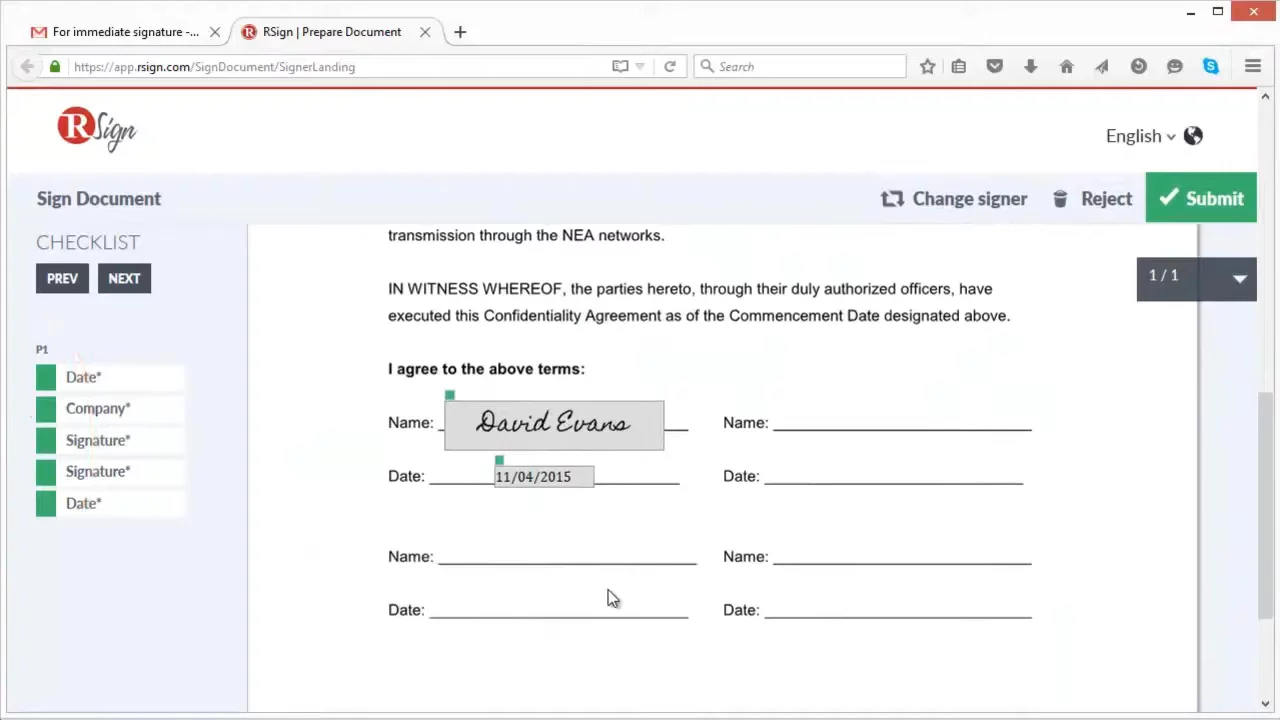
Recipient Signing ExperienceRecipients get an email notification, follow a guided checklist in the web-hosted document, choose or draw their signature, complete all fields, and submit the signed document.
02:23
Accessing the Completed DocumentDownload the final PDF with an RSign certificate, audit log, and forensic details, or find and download it under the Manage tab in your dashboard.
03:26
Creating TemplatesSave time by creating and sharing templates: name and describe the template, set options, attach a file, and place all required fields once for reuse.
04:05
Sending Using TemplatesWhen sending, select a saved template, make quick updates if needed, and send your document exactly as you would any other rSign file.
05:32
Time-Stamp Records and Wrap-UprSign provides precise time-stamped records of sent, received, and signed content, ensuring verifiable, court-admissible evidence of every agreement.
06:06
RPost logo

RPost

RPost is a global leader in e-signature and cybersecurity services, providing secure email, e-signatures, and digital transaction management solutions since 2000.Learn more about RPost

More Demos (1)

Interactive Demos (0)

Useful Links & Resources

Related companies

Oneflow AB logo

Oneflow AB

Streamlines digital contract management with automated workflows, secure e-signatures, and seamless integrations.

Dotloop logo

Dotloop

All-in-one real estate transaction management platform for agents, brokers and teams.

Formstack Sign logo

Formstack Sign

User-friendly e-signature platform for efficient document signing and management processes.