
Demo Summary
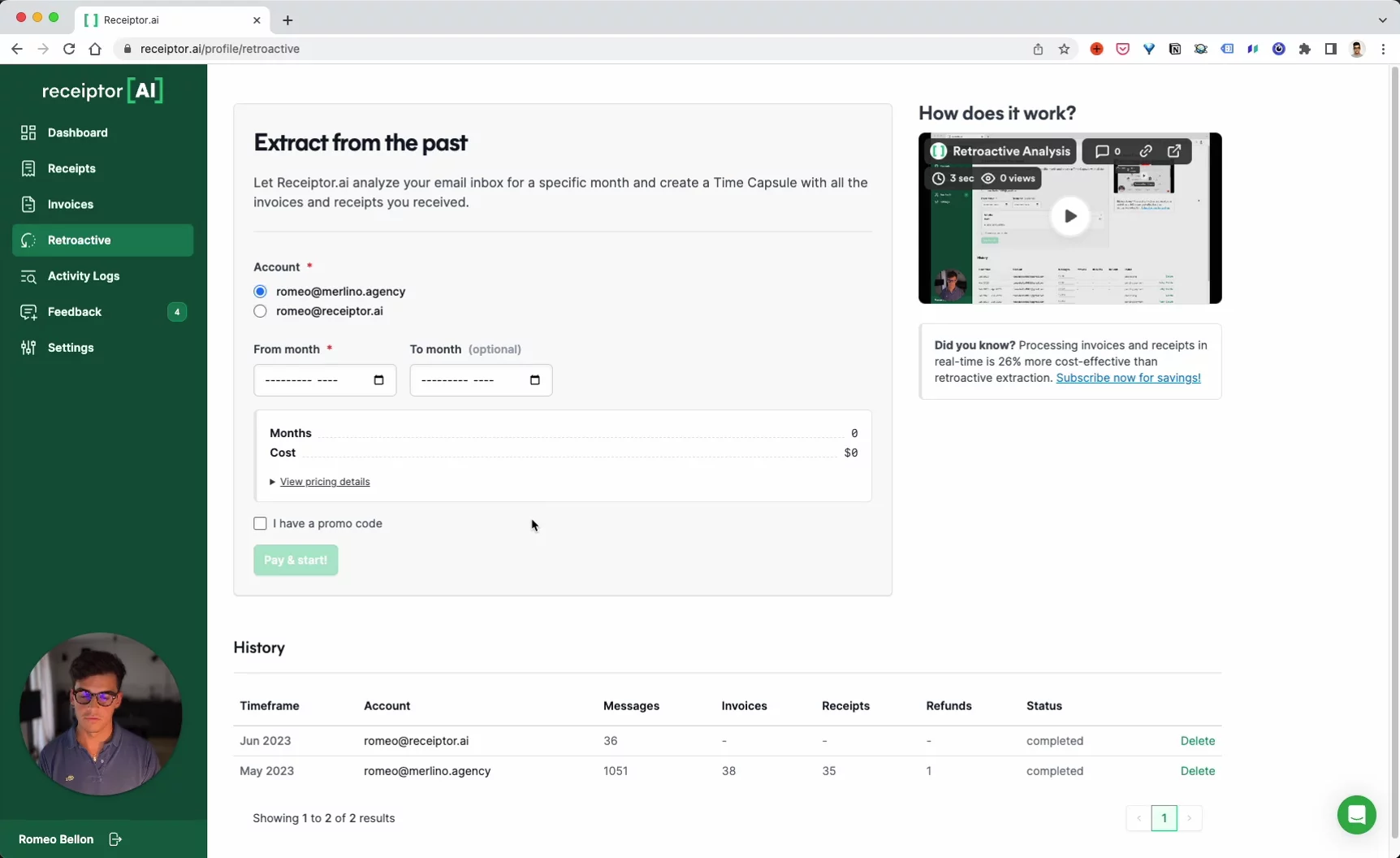
This video shows how to use Receptor AI to find and organize your online purchase receipts in your email. You will see how to connect your account, pick a start date, and let the AI scan your old messages. Receptor AI finds receipts and invoices and emails you when it’s done. You can view them in the app and export them as CSV or PDF. This makes budgeting, taxes, and expense reports easy, with no manual searching.
AI-Detected Features
IntroductionRomeo, the founder of Receiptor AI, welcomes viewers and introduces himself.
00:00
Tool OverviewDiscover how Receiptor AI enables retroactive analysis of your email inbox.
00:04
Why Use ReceiptorLearn how this tool helps you organize and manage lost online purchase records.
00:08
Connect Your AccountHead to the dashboard to add your email account and grant necessary permissions.
00:14
Start Retroactive AnalysisSelect your account, choose a start (and optional end) month, then click to begin analysis.
00:23
View Extracted ReceiptsGo to the Receipts & Invoices section to see all identified and extracted records.
00:34
Export Your DataExport receipts and invoices as CSV or PDF for budgeting, taxes, and expense reports.
00:48
Wrapping UpNo manual searching needed—AI handles it all. Thanks for watching!
00:57

Receiptor AI
Receiptor AI finds and extracts receipts, bills, and invoices from email inboxes and automatically categorizes them into accountant-ready reports or auto-forwards them to other accounting systems, saving users — a ton — of time.Learn more about Receiptor AIMore Demos (1)
Interactive Demos (0)
Useful Links & Resources
Related companies