Lusha

Demo Summary

In this video, you will learn how to use Lucia, a tool for finding business leads. First, you see how to sign up, check your email, and log in. Next, you explore the dashboard where you can search for companies by name, location, or industry. You learn how to make and name lists, view company and contact details, and save them. It also shows extra tools for adding missing data, finding who is interested, and getting alerts. Lucia helps you find and organize the right people fast.

AI-Detected Features

Introduction & OverviewWelcome to Lucia, your B2B prospecting platform. In this video, you’ll learn how to set up an account, explore key features, create lists, and find company and contact data.
00:00
Creating Your AccountSign up for Lucia by clicking the link in the description. Enter your work email, click “Start for Free,” then fill in your name, phone number, and a secure password to begin.
00:35
Verifying Email & Profile SetupCheck your inbox for Lucia’s six-digit code and enter it to verify your email. Follow any prompts to complete your profile information.
01:15
Choosing Options & Accessing DashboardAfter verification, you’ll see three outreach options. You can explore them or click “Take a look at your account” to go directly to your dashboard.
01:49
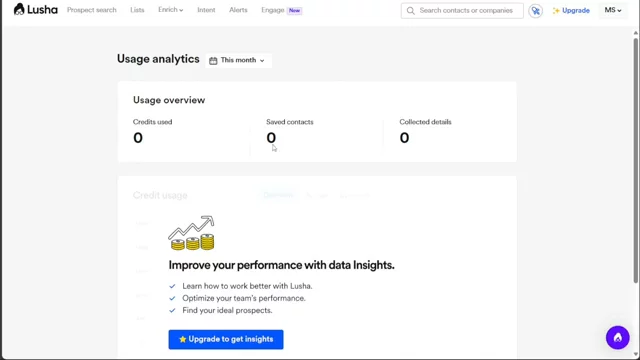
Dashboard OverviewYour dashboard menu includes Prospect Search, Lists, Enrich, Intent, Alerts, Guide, and Account. Each tab helps you find leads, manage lists, enrich data, track intent signals, set alerts, get help, and adjust settings.
02:16
Creating ListsUnder the Lists tab, click the “+ Create List” button. Name your list and click “Create” to save it. Use lists to organize, export, and manage your prospects efficiently.
04:45
Searching Companies & Applying FiltersGo to Prospect Search and use filters like Company Name, Location, Industry, or Revenue to narrow results. Enter a company (e.g., Amazon) and refine by country or other criteria to build a targeted list.
05:56
Viewing & Saving Contact DetailsClick “Show Details” next to a contact to see email, phone, and company info. Then click “Save To,” choose Lucia and your list, and hit “Save” to store contacts for future outreach.
07:32
Conclusion & Next StepsThat’s the beginner’s guide to Lucia! Sign up using the first link in the description, explore the features, and comment below with any questions. Happy prospecting!
08:46
Lusha logo

Lusha

Lusha is a B2B lead enrichment and prospecting tool that provides businesses with accurate and verified contact information. Learn more about Lusha

More Demos (1)

Interactive Demos (0)

Useful Links & Resources

Related companies

ExactBuyer logo

ExactBuyer

Your automated sales & recruiting engine.

RocketReach logo

RocketReach

Helps find people's emails and phone numbers for business contacts.

VoilaNorbert logo

VoilaNorbert

Helps find people's emails and send messages to get more customers.