
Demo Summary
Watch this video to learn about Lever, a simple tool for tracking job applicants. You will see how to view your leads, applicants, and interview stages. You will learn to filter by role, recruiter, or team. You will see how to share quick updates in a meeting or with managers. You can find out who may need help or cover for a teammate who is out. Lever makes it easy to know and share candidate status fast.
AI-Detected Features
Introduction and Demo ContextOverview of the video’s purpose showing Lever’s UI, quick info about candidates, and note that this is a demo account with no real candidate data.
00:00
Candidates Tab OverviewWalkthrough of the Candidates tab: understanding Leads, Applicants, and Interview counts across your roles.
00:31
Filtering and Moving CandidatesHow to filter by specific role and pipeline stage, view counts per stage, and move candidates through screening and interview steps.
01:09
All Owners: Executive-Level InsightsSwitching to “All Owners” to see total applicants and interviews across the entire team—useful for high-level updates.
01:56
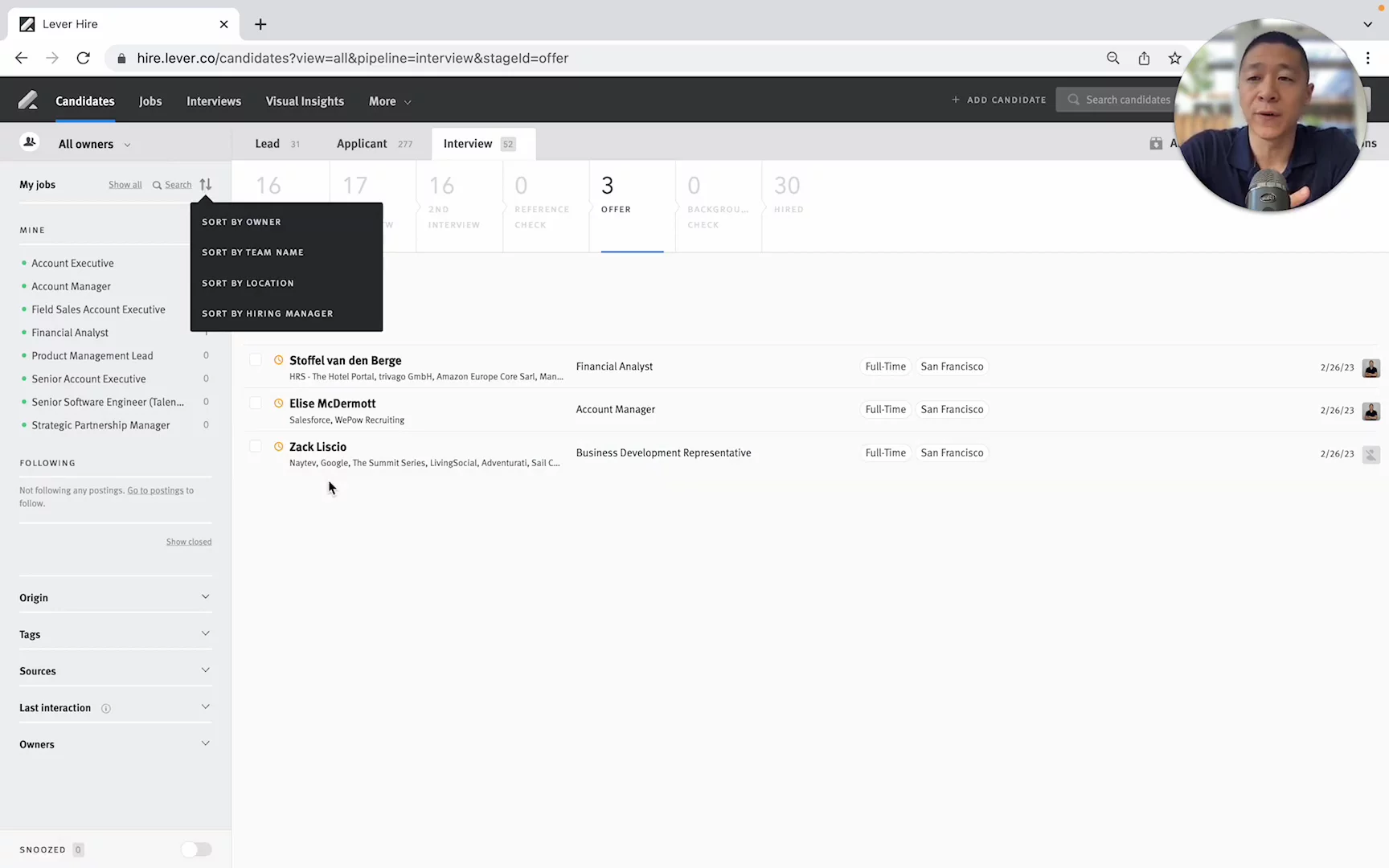
Sorting by Recruiter for Team HelpSorting by owner to quickly spot individual recruiter workloads and identify who may need assistance.
02:28
One-on-One Check-InsUsing the owner-specific view in one-on-ones to review which roles have no interviews and discuss challenges.
03:04
Covering for Absent RecruitersSelecting all roles for a recruiter who’s out sick to email their candidates and manage communication delays.
03:44
Sorting by DepartmentFiltering by team name or department to organize roles when multiple recruiters cover different positions.
04:18
Wrap-Up and Next StepsRecap of favorite Lever UI features, invitation to comment with questions, and offer of recruiter-to-recruiter advice.
04:58

Lever
Lever is a comprehensive talent acquisition suite that helps companies find, nurture and hire top talent efficiently.Learn more about LeverMore Demos (1)
Interactive Demos (0)
Useful Links & Resources
Related companies