Lavender Demo

Demo Summary

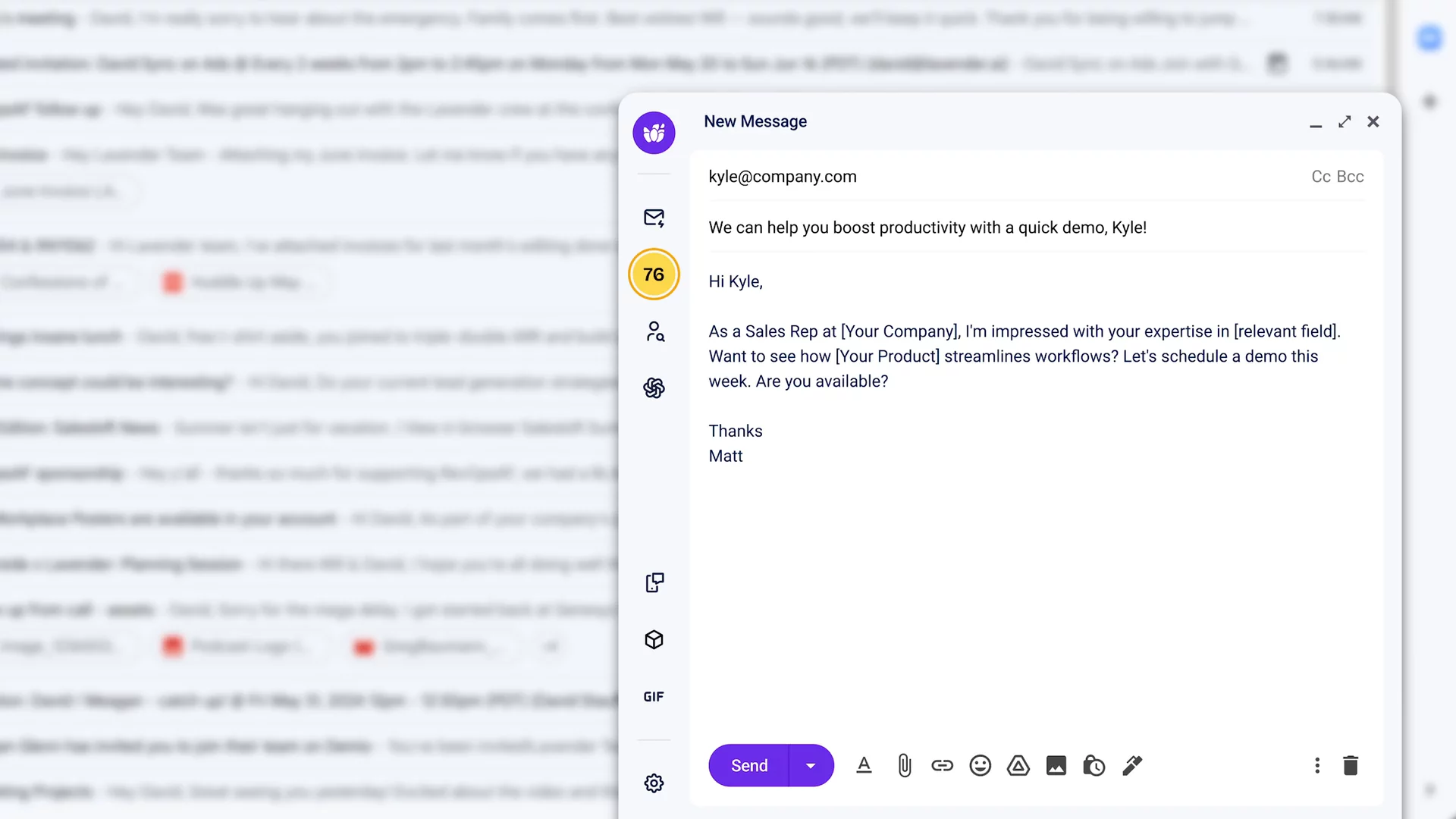
In this video, you’ll see the new Lavender email tool. It sits on the left of your email with a fresh look. You’ll learn how to use the Start My Email feature so AI adds icebreakers and extra context. You’ll meet the Personalization Assistant that shows you details about the person you’re emailing and brings in info from your sales tools so you don’t need other tabs. See the Email Coach give you a score, tips to fix problems, and a quick “Fix it all” button. You’ll also check team email results, use easy templates, preview on mobile, and add fun GIFs. Lavender helps you write emails that get more replies and book more meetings.

AI-Detected Features

Introducing Lavender’s Biggest UpdateAnnouncing a fully redesigned extension loaded with powerful new features to make crafting great emails easier than ever.
00:00
Redesigned Extension UIMeet the fresh, minimalist look: the Lavender sidebar now lives on the left of your email editor, with bright new colors and cleaner branding.
00:09
AI-Powered Start My Email FlowJump-start your emails with AI—add icebreakers and context, generate multiple drafts, and insert your favorite option with one click.
00:27
Personalization AssistantAutomatically pull in key prospect details—work history, personality traits, social posts, even podcast appearances—for truly tailored emails.
00:42
Call Recording & CRM IntegrationsView call insights from Gong and CRM data from Salesforce or HubSpot right in the sidebar, with more integrations coming soon.
00:58
Upgraded Lavender Email CoachExperience our improved scoring model that condenses all reply-rate drivers into a single score—aim for 90+ to double your replies.
01:13
Using the Email CoachSee your live score, choose the right model (cold touch, follow-up, or thread), get a breakdown of issues, and fix or fully rewrite your email with AI.
01:40
Email Dashboard & AnalyticsDive into your team’s email performance data—before and after Lavender—to uncover coaching moments, performance drivers, and success factors.
02:09
Additional Enhancements & Wrap-UpAccess email frameworks, mobile previews, and GIFs to add personality. With these updates, you’ll double reply rates, book more meetings, and grow your pipeline.
02:31
Lavender logo

Lavender

Write better emails faster and 2x replies with AI. Learn more about Lavender

More Demos (1)

Interactive Demos (0)

Useful Links & Resources

Related companies

Caide logo

Caide

Automates security reviews and streamlines vendor risk assessments for faster deal cycles.

Autobound logo

Autobound

Generates hyper-personalized sales emails using AI and 350+ prospect insights.

ExactBuyer logo

ExactBuyer

Your automated sales & recruiting engine.