Aircall - Connect. Communicate. Grow.

Demo Summary

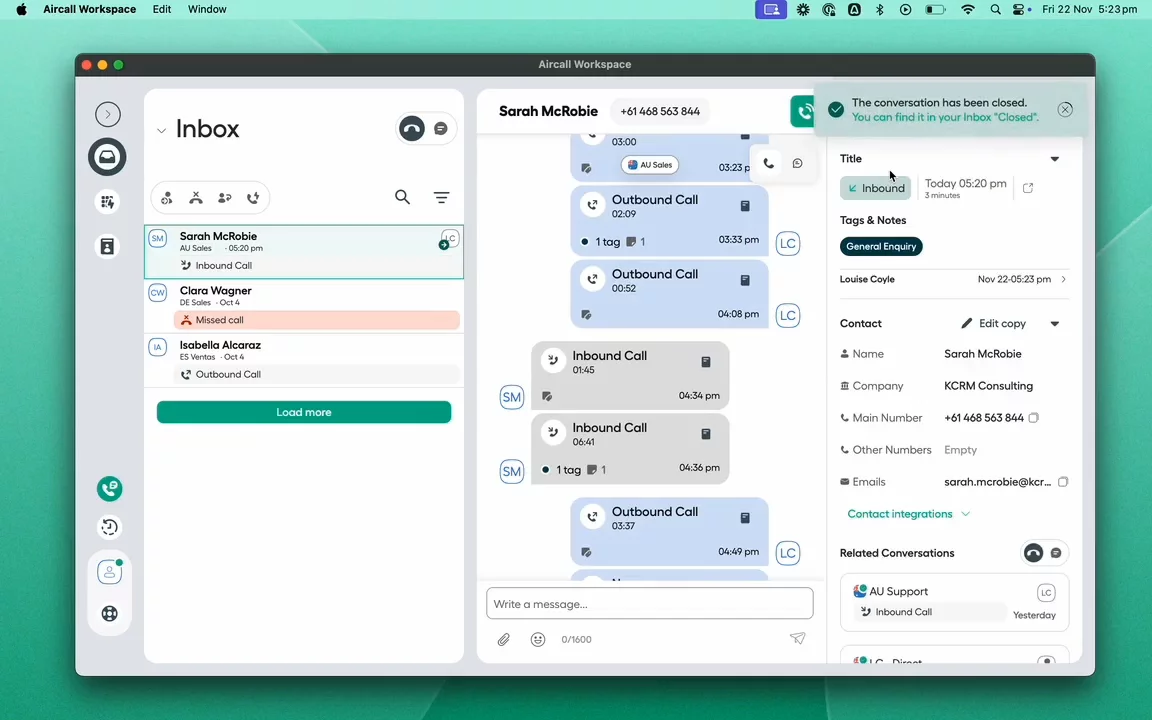
This video shows Aircall, a phone and messaging tool for teams. First, you’ll see the Aircall Workspace, where agents customize their view, handle incoming calls, and view caller details from customer records. You’ll learn to add notes and tags, use transfers, recordings, and make outbound calls with context. You can also check daily stats and see AI-powered summaries, key topics, and follow-up tasks. Finally, the Aircall Dashboard shows admins how to manage numbers, users, and track performance. Aircall solves the need to juggle multiple apps by unifying all call info and tools in one place.

AI-Detected Features

Introduction to Aircall Workspace & DashboardOverview of the two main Aircall tools: the Workspace for call agents and the Dashboard for admins to manage numbers, teams, and KPIs.
00:00
Customizing Your Workspace LayoutLearn how Aircall Workspace can be resized and arranged to fit your personal workflow.
00:26
Inboxes & Conversations StructureExplore the open and closed inboxes that organize all ongoing and resolved conversations in a unified view of calls and messages.
00:35
Creating Conversations Automatically & ManuallyUnderstand how conversations start automatically on first calls or can be initiated manually for calls or messages.
01:02
Receiving Incoming CallsSee how the call box appears when you receive a call—whether inside or outside Aircall Workspace—to notify you of incoming calls.
01:13
Accessing CRM Insights via Call BoxDiscover the call box details: incoming number, IVR branch, caller information, and CRM insight cards for quick access to records.
01:23
Reviewing Caller HistoryClick on a caller’s name to open their conversation and review all past interactions, including related calls on other Aircall numbers.
01:37
In-Call Collaboration ToolsUse in-call features like call transferring, conference or parallel dialing, and adding notes and tags during the call.
01:45
Logging Notes & Tags for ReportingAdd notes and tags during calls to log them in the conversation, support reporting, and trigger workflows in your CRM.
02:10
Auto-Closing & Reopening ConversationsLearn how connected calls auto-close and move to the closed inbox, and how to reopen conversations if follow-up is needed.
02:17
Aircall logo

Aircall

Aircall uses cloud-based technology so no more physical desk phones. Set up whole teams, in moments, no matter where they’re based. Benefit from performance insights and integrate Aircall with all your existing systems for better productivity.Learn more about Aircall

Interactive Demos (0)

Useful Links & Resources

Related companies

Salesfinity logo

Salesfinity

A parallel dialer to increase cold call connect rates.

CallBlitz logo

CallBlitz

A virtual salesfloor to enable efficient cold calling.

PhoneBurner  logo

PhoneBurner

Drive up to 4x more deals through efficient & personalized phone outreach.