Zoho CRM

Demo Summary

In this video, Tyler Colt shows the big new “CRM for Everyone” update in Zoho CRM. You’ll see the menu moved to the left, new side icons for reports, calendar, and search, and how front-end buttons let users add fields, layouts, and workflows. Then he builds team spaces—folders of modules like Customers and Activities—and gives each one to the right user types. He also makes a demo request module, sets access rights by user type, and shows how requests work. This makes CRM easier to use and keeps access under control.

AI-Detected Features

Introduction & Video OverviewTyler Colt welcomes viewers and introduces the major new Zoho CRM update called CRM for Everyone, outlining its benefits for customizing user views and permissions.
00:00
Walkthrough StructureTyler explains the video is divided into two parts: first covering UI changes in CRM for Everyone, then diving into the new features like team modules and permissions.
01:04
UI Navigation ChangesComparison of old CRM versus CRM for Everyone: modules now run down the left sidebar instead of across the top, with similar record views once opened.
01:45
Front-End Customization ToolsNew three-dot menus and top-bar “+” button let users create layout rules, workflows, and even modules directly from the main interface—highlighting the need for tighter permission controls.
03:35
Team Spaces Replace Tab GroupsTab groups are renamed Team Spaces with more control: filter which modules appear and assign users, profiles, and workflows uniquely per space.
04:16
Side Jewel Navigation EnhancementsNew sidebar icons for key functions—reports, dashboards, requests, marketplace, global search, add new record, calendar, signals, and settings—improve workflow separation and accessibility.
09:44
Settings Page ReorganizationThe Zoho CRM settings page is reorganized into a left-hand list with a powerful search bar, making it faster to find and adjust any system setting.
10:54
UI Summary & Next StepsRecap of the front-end changes emphasizing the exposure of customization tools, and transition to exploring CRM for Everyone’s new functionality.
11:32
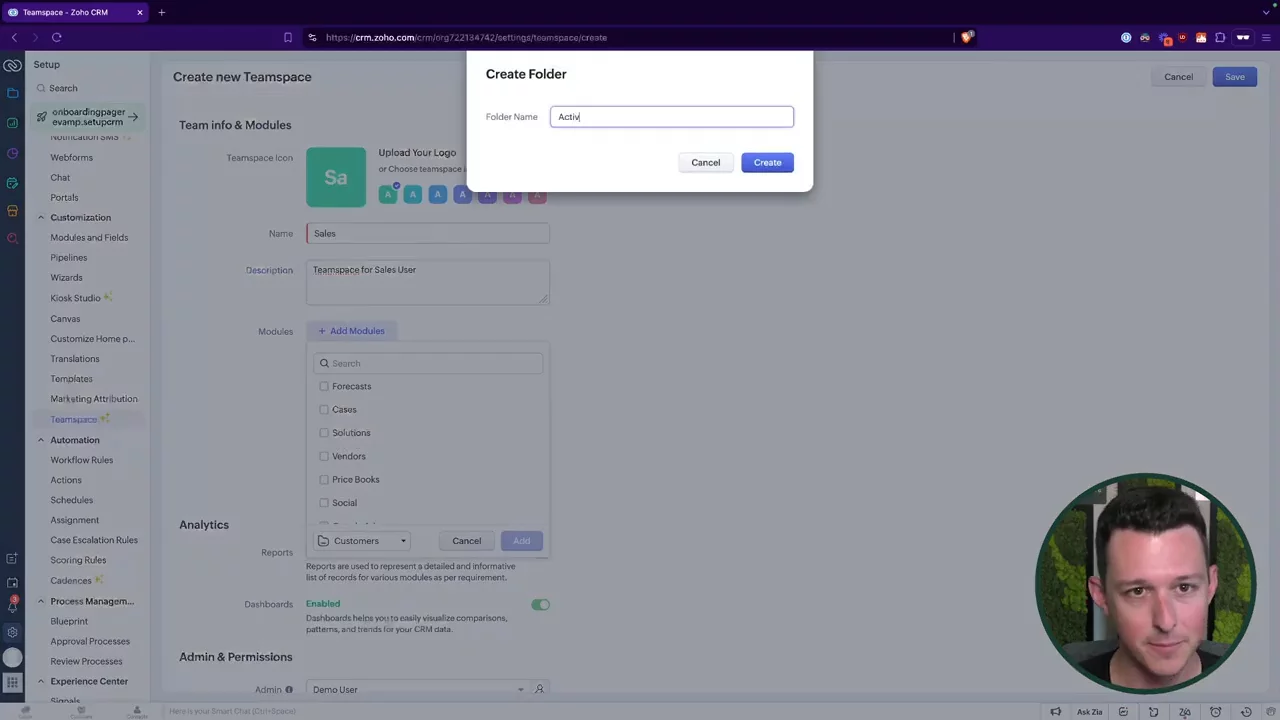
Creating & Organizing a Sales Team SpaceDemonstration of creating a new Sales team space, adding modules, and organizing them into folders (Customers, Activities, Transactions, Marketing) for simplified navigation.
12:04
Assigning Team Spaces & Access ControlsConfiguring a team space by enabling reports and dashboards, then assigning it to specific roles, profiles, and groups to automate access for new users.
15:01
Zoho CRM logo

Zoho CRM

Zoho CRM is a powerful, easy-to-use platform that helps businesses grow better by aligning sales, marketing, and customer service teams. Learn more about Zoho CRM

More Demos (1)

Interactive Demos (0)

Useful Links & Resources

Related companies

Close logo

Close

A sales engagement CRM for SMB.

Agile CRM logo

Agile CRM

Manages customer relationships, automates sales, marketing, and service processes for businesses.

monday CRM logo

monday CRM

The CRM that's simple to set up and easy to use.