
Demo Summary
Watch how to use Weed.io, a simple video editor. The video shows picking a free or paid plan and logging in. Learn to pick templates for Instagram videos, add clips, stock video, music, text, auto-generated subtitles, and fun elements like emojis. See how to adjust audio, style text, and crop clips. Finally, export your project as an MP4 to share on social media. Weed.io makes video editing easy and quick.
AI-Detected Features
Introduction and Getting StartedOverview of Weed.io as a simple video editing platform, its free and paid plans, and logging into your account.
00:00
Selecting Templates and Starting a ProjectNavigating the template library: filtering by size or category, choosing an Instagram video template, selecting portrait format, and entering the editor.
00:26
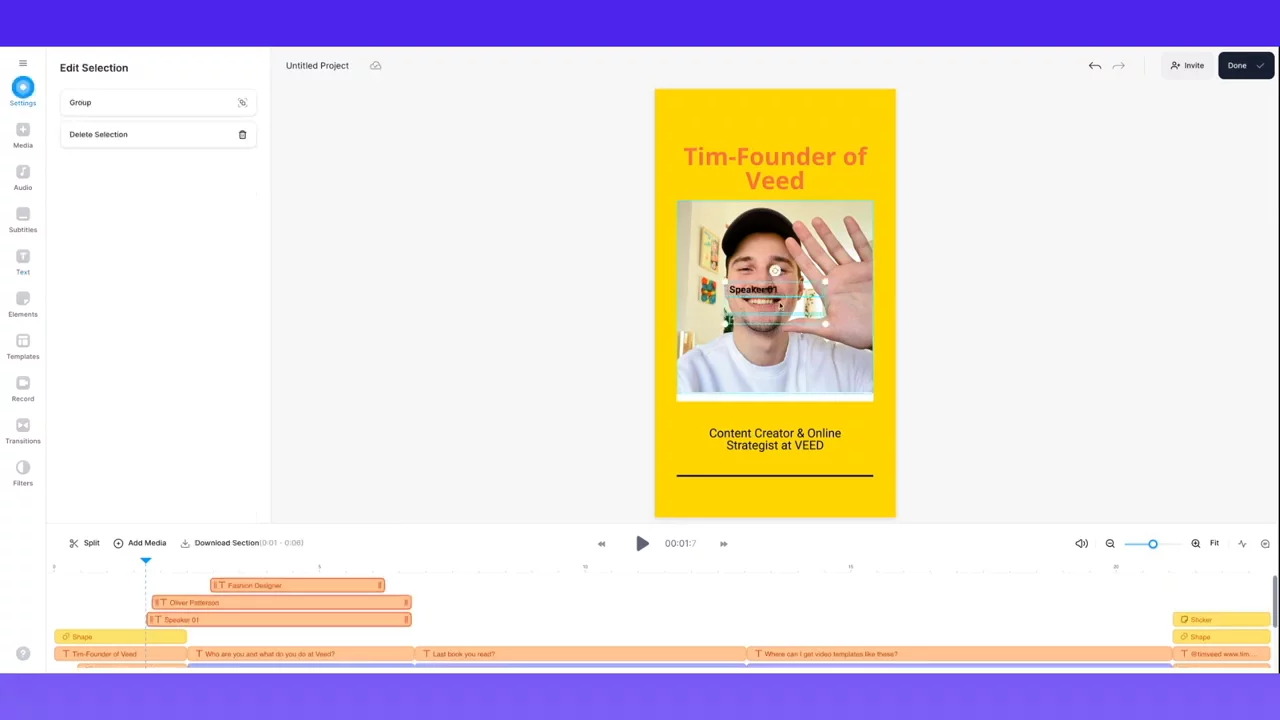
Exploring the Editor InterfaceWalkthrough of the editor’s side panels: settings (background, audio, duration), media uploads, stock footage and music, subtitles, text, elements, templates, recording tools, transitions, filters, and the timeline.
01:17
Customizing Your TextAdding and editing text boxes: entering your own text, choosing fonts, colors, and animations to personalize your video.
03:33
Inserting Video Clips and MusicSearching for and layering stock footage, removing unwanted audio, adding and trimming stock music, and adjusting volume levels.
04:49
Generating and Styling SubtitlesUsing auto-transcription to create subtitles, positioning them on screen, and customizing their style, font, color, background, and size.
06:14
Adding Decorative ElementsEnhancing your video with fun elements like emojis and shapes by dragging them into your timeline.
07:41
Exporting and Sharing Your VideoFinalizing your project: clicking done, exporting the video as MP4, renaming, downloading to your computer, and sharing with team members.
08:03
Conclusion and Next StepsWrap-up of the tutorial with a reminder to like, comment, subscribe, and apply your new video editing skills.
08:47

Veed
VEED is an AI-powered online video editor that makes it easy for anyone to create professional-quality videos without advanced technical skills.Learn more about VeedMore Demos (1)
Interactive Demos (0)
Useful Links & Resources
Related companies

Vidyard
Provides video hosting, analytics, and personalized video tools for marketing and sales.

Brightcove
Helps businesses make, share, and learn from videos to grow their company.

Wistia
Helps businesses make, share, and learn from videos to grow their company.