
Demo Summary
In this video, you’ll learn how to use Sapling, your AI writing assistant in the browser. You’ll see how it fixes spelling, punctuation, and grammar mistakes. You’ll watch its auto-complete tool that suggests words and phrases as you type. Then, you’ll learn about snippets: saved text templates you add with a shortcut. Finally, you’ll learn to share snippets with teammates and start the interactive tutorial in your Sapling dashboard.
AI-Detected Features
Getting Started with SaplingIntroduction to Sapling, installing the browser extension, and how it works across all your web apps.
00:00
Sapling Features at a GlanceOverview of the three main Sapling features: Spelling & Grammar Correction, Autocomplete, and Snippets.
00:11
Spelling and Grammar CorrectionSapling’s deep learning system automatically corrects spelling, punctuation, and suggests advanced phrase-level improvements.
00:20
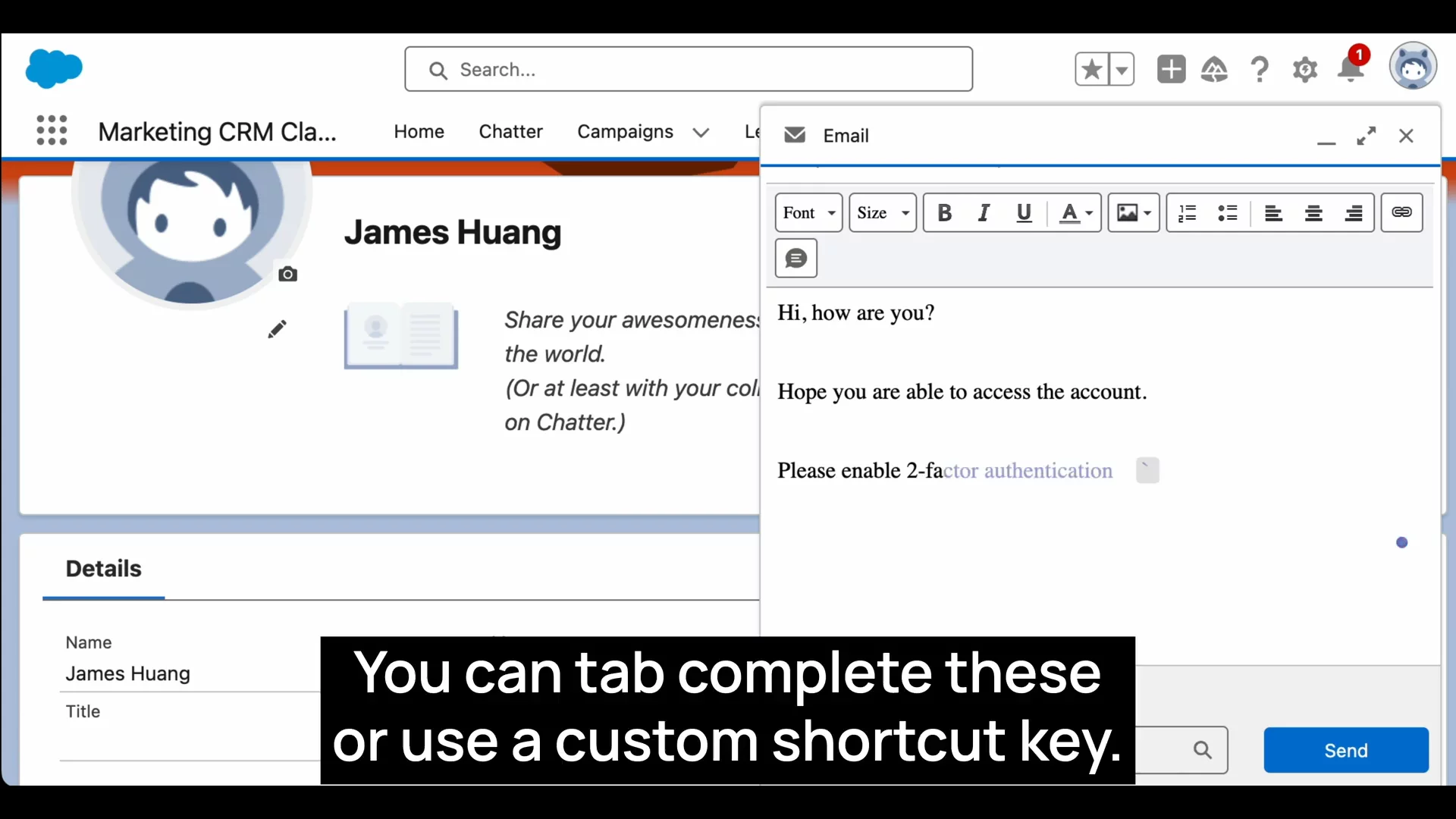
Autocomplete SuggestionsContext-aware autocomplete offers suggestions as you type, which you can accept with Tab or a custom shortcut.
00:36
Using SnippetsCreate and insert frequently used text templates (snippets) via shortcuts or a search box to speed up your writing.
00:49
Sharing & Next StepsShare snippets across your team on the Sapling website and try the interactive tutorial under the Setup tab for a hands-on guide.
01:07

Sapling
Sapling is an AI-powered language model copilot and writing assistant designed to help customer-facing teams improve their communication efficiency and quality.Learn more about SaplingMore Demos (1)
Interactive Demos (0)
Useful Links & Resources
Related companies