Relayto Demo

Demo Summary

In this video demo of Dimmo, you will learn how to turn a PDF or presentation into an interactive, shareable document. First, you upload your PDF and choose a view style like slides or a flipbook. Dimmo quickly makes a basic version you can save and share with a link. Next, you’ll see how to make it richer: add background videos, color filters, auto or custom animations, and embedded media like YouTube. This tool makes plain PDFs more engaging and easy to share.

AI-Detected Features

Introduction to the Related DemoOverview of the demo goals: uploading a PDF presentation or video, enriching it with navigation and interactivity, and pointers to organize, launch, and analyze walkthroughs.
00:00
Uploading and Converting Your PDFNavigate to the home/profile page, select “Convert your PDF,” then drag and drop your file. Learn what a minimal viable document is and how to create one in under a minute.
00:30
Configuring, Saving, and SharingWalk through the Relate wizard: automatic page detection, privacy settings, view modes (Slide, Flipbook, Forward Scroll), adding a title, then saving your document. Copy the share link, embed it, or share on social channels.
02:22
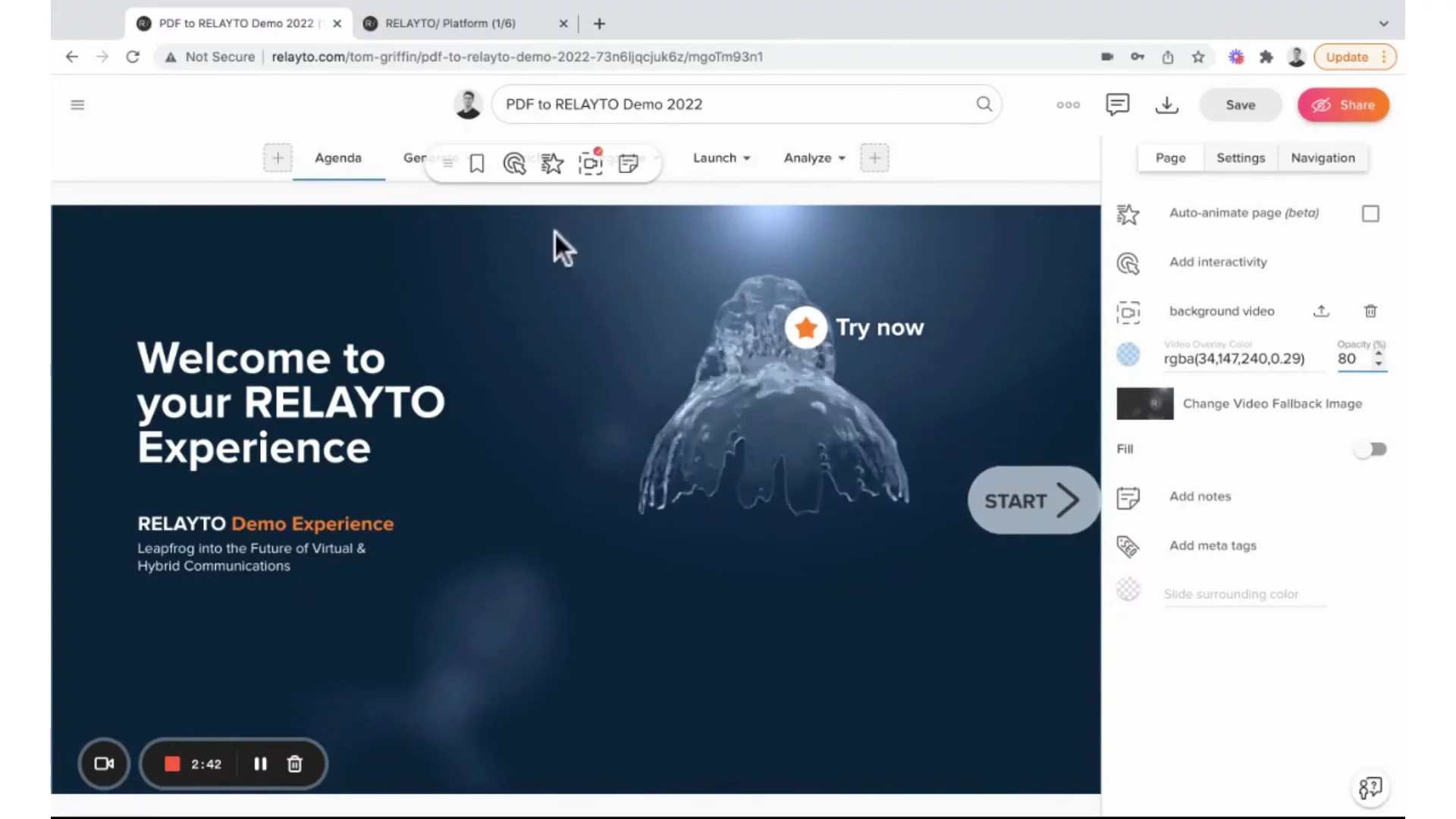
Enriching with Background VideoEnter edit mode and use the toolbar to add an MP4 background video. Adjust video layering, then apply RGBA color filters and opacity settings to ensure text readability over your video.
03:39
Adding Auto AnimationsEnable one-click auto animations on your page. Choose to animate all elements, just text, or just visuals/backgrounds, and set the animation direction to guide the reader’s experience.
06:14
Building Custom AnimationsUse interactive shapes to create step-by-step animations. Add rectangles, set them to white, adjust transparency, apply “load on scroll” effects with delays, and copy/paste for consistent sequencing.
07:24
Embedding Widgets and MediaAdd live widgets by embedding related experience links, then place them on the page. Embed YouTube or Vimeo videos via URL, and configure autoplay or loop settings for in-page playback.
10:13
Relayto logo

Relayto

Software platform that transforms your static content (PDFs, MP4s, images) into engaging interactive experiences, enabling viewers to choose their own path and self-educate.Learn more about Relayto

More Demos (1)

Interactive Demos (0)

Useful Links & Resources

Related companies

Folloze logo

Folloze

A platform to build personalized microsites and landing pages at scale

Inboundr.ai logo

Inboundr.ai

Provides AI-driven LinkedIn content creation, research, editing, and analysis solutions.

Ocoya logo

Ocoya

Provides AI-driven social media content creation, scheduling, analytics, and e-commerce integration platform.