Pendo - Improve product experiences

Demo Summary

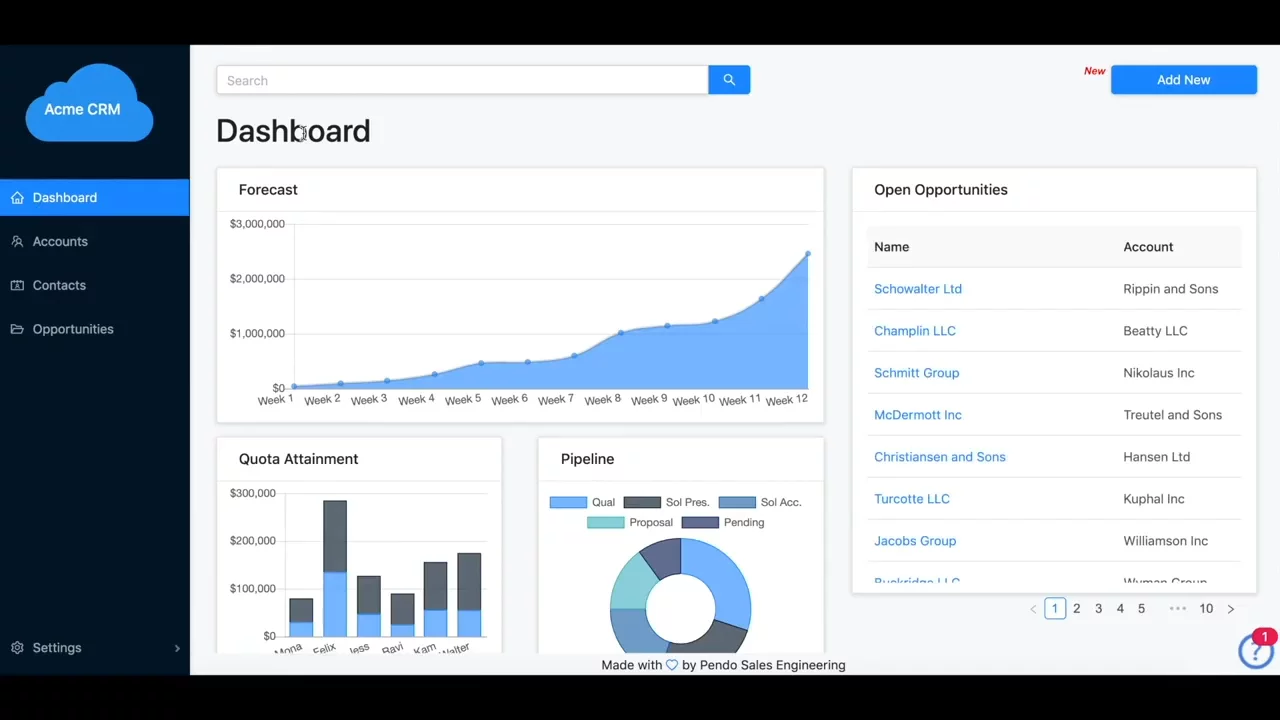
In this video, you’ll see Pendo, a tool that helps you teach people to use your app. It shows how Pendo gathers info on user actions and feedback, then sends in-app messages called Guides. A demo on the "Acme CRM" app shows Guides that pop up on buttons, lead users through steps, and ask for feedback—no coding needed. You’ll learn how to build these Guides in Pendo’s editor, pick which users see them, and track views and clicks. This helps new users learn faster, boosts feature use, and saves your team time.

AI-Detected Features

Webinar Introduction & AgendaWelcome, overview of Pendo Onboarding webinar agenda: intro to Pendo, product messaging, Guides creation, use cases, and Q&A.
00:00
Product Engagement ChallengesDiscuss the competitive product landscape and key questions on how to guide users to ‘aha’ moments, boost retention, and drive growth.
00:48
Pendo Platform OverviewIntroduce Pendo’s platform: combining quantitative analytics with qualitative feedback to understand user behavior and sentiments.
01:45
Expanding Pendo AdoptionExplain the shift from product managers to cross-functional teams using Pendo, including customer success, marketing, engineering, and support.
02:29
Onboarding Use Cases & SegmentationExplore onboarding workflows: segment users by role, behavior, or metadata to deliver targeted, contextual in-app messaging without overwhelming them.
03:21
Beyond Onboarding: Feature Announcements & AnalyticsOther Pendo uses: announcing new features, driving feature adoption, and using guide analytics to pinpoint sticking points.
05:08
Demo: Feature Announcements & Feedback PollsView live examples of Pendo Guides for new feature announcements and in-app feedback polls in the Acme CRM demo app.
05:44
Demo: Interactive Onboarding WalkthroughsSee welcome tours and step-by-step walkthroughs that guide new users through key actions, like creating an opportunity, to build stickiness.
07:24
Building Guides: Visual Design Studio SetupWalk through launching the Visual Design Studio, selecting applications and guide templates to begin building in-app guides.
09:30
Customizing Guides in Visual Design StudioLearn how to style containers, add content blocks, images, polls, and custom code blocks to craft specific guide experiences.
11:14
Pendo logo

Pendo

Pendo is an AI-powered product experience and digital adoption platform that helps companies optimize their software products and drive user engagement. Learn more about Pendo

Interactive Demos (0)

Useful Links & Resources

Related companies

Productboard logo

Productboard

Product teams learn what customers need, pick features, and get everyone on the same page.

LaunchNotes logo

LaunchNotes

Helps product teams share updates, get feedback, and keep people interested.
Split.io logo

Split.io

Manage feature releases, experiment, and make data-driven product decisions.