PandaDoc

Demo Summary

In this video, you will see how PandaDoc helps you make, send, and track proposals and quotes fast. You learn to build a template with placeholders and drag and drop text, images, pricing tables, and fillable fields. Variables fill in customer info for you to avoid mistakes. You set up e-signatures, reminders, and automatic expirations so you spend less time on follow-ups. Finally, view stats and connect PandaDoc to your business apps and payment services to collect signatures and payments with ease.

AI-Detected Features

Welcome & OverviewIntroduction to PandaDoc: what you’ll learn in this video about creating, tracking, and closing proposals and quotes.
00:00
Getting Started: Logging In & Template BasicsLog into PandaDoc and start your free trial by creating a blank template that will save you time and prevent errors later.
00:45
Setting Up Roles & CollaborationAdd template roles for sender and recipient, and enable the “Suggest Edits” feature so prospects can collaborate directly in your document.
01:15
Exploring the PandaDoc EditorGet to know the editor interface and content blocks—text, images, tables, videos, quote builder, smart content, and more.
02:27
Designing a Cover Page & VariablesAdd a cover page with a background image, logo, title, and variables to auto-populate personalized information.
03:01
Building Content Pages & Template LibraryDrag and drop text and image blocks to build pages; learn how the grid system works and explore pre-built pages in the Template Library.
04:06
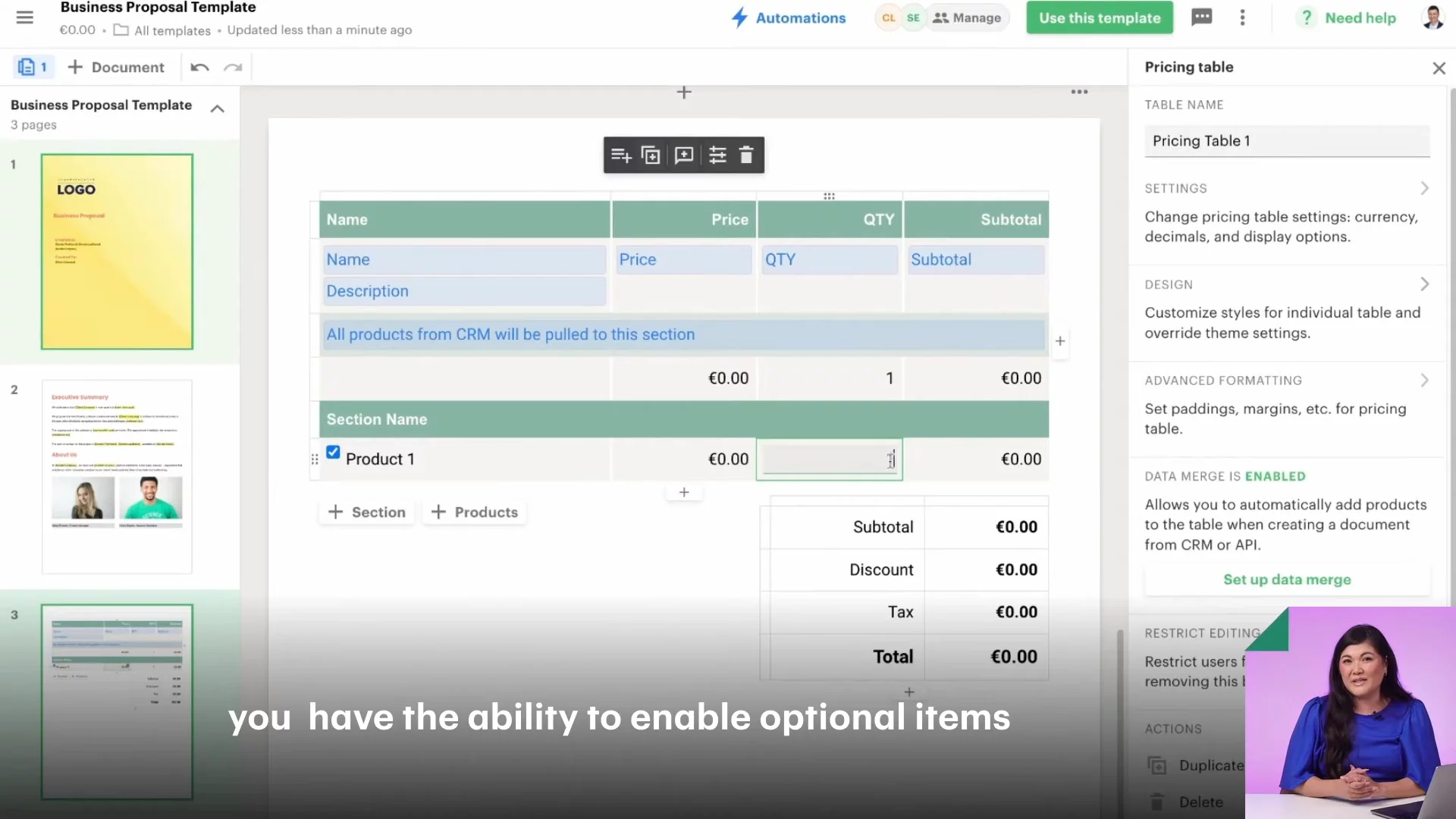
Creating Interactive Pricing TablesInsert a pricing table, link it to your CRM or use it manually, and enable optional items and quantity toggles for prospects.
05:06
Adding Fillable Fields & AutomationDrag in signature fields, dates, initials, checkboxes, and more. Set up automatic expirations, reminders, and renewals at the template level.
06:04
Sending Your DocumentUse your template to create a document, assign recipient roles, verify variables and pricing, and send via email, link, or in person.
07:07
Tracking & AnalyticsMonitor document status and engagement with analytics: views, time spent, page insights, and automated notifications for follow-up.
08:18
PandaDoc logo

PandaDoc

PandaDoc is an all-in-one document automation software that streamlines the process of creating, approving, and e-signing proposals, quotes, and contracts.Learn more about PandaDoc

More Demos (1)

Interactive Demos (0)

Useful Links & Resources

Related companies

Oneflow AB logo

Oneflow AB

Streamlines digital contract management with automated workflows, secure e-signatures, and seamless integrations.

RPost logo

RPost

Secure e-signature and email platform for compliant digital transactions and communications.

Dotloop logo

Dotloop

All-in-one real estate transaction management platform for agents, brokers and teams.