
Demo Summary
Video shows how Nintex Automation Cloud helps teams collect and track vendor invoices. You will see how to make a simple online form with drag-and-drop fields and file uploads. Next, you will learn how to build a process that sends form entries to the right people, adds tasks, and sends alerts. The video also shows saving notes and files to OneDrive. Finally, you watch a vendor fill the form, go through reviews, and see how approvals or requests for more information are handled. This helps companies organize and track invoices.
AI-Detected Features
Overview of Invoice ProcessingIntroducing the need to accept invoices from external vendors, route them through first and second level reviews, track the entire process, and store all related documentation in a central repository.
00:05
Choosing Start EventsReviewing the different triggers Nintex Automation Cloud offers—such as Salesforce, SharePoint, scheduled workflows, or custom APIs—to kick off your invoice process.
00:39
Designing the Vendor FormUsing the Form Start event and drag-and-drop controls to build an external-facing form that captures vendor contact details and allows file uploads for supporting documents.
00:58
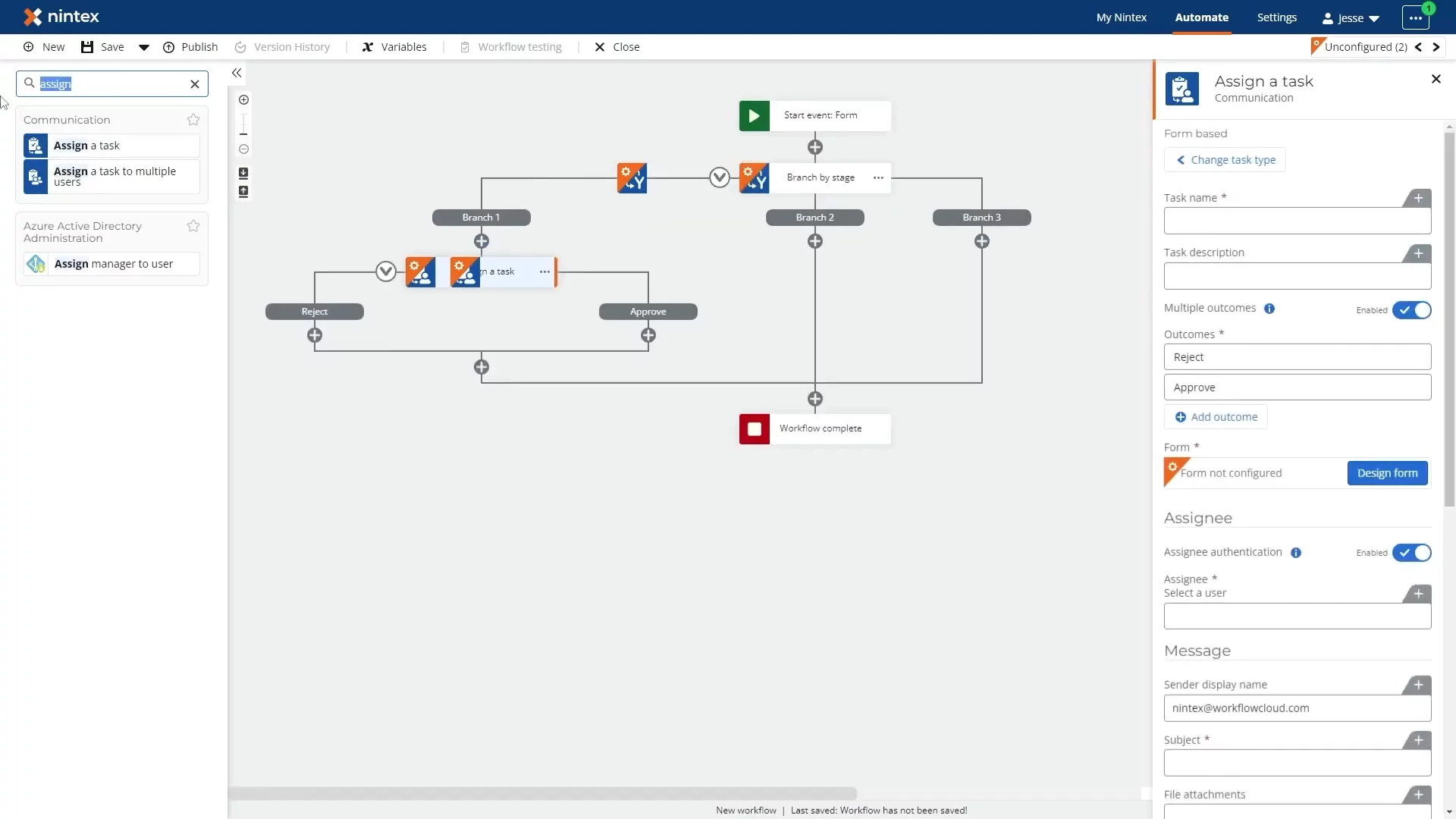
Building the WorkflowAssembling the approval process with drag-and-drop actions, routing form inputs to the right teams, and using branching to issue tasks and notifications at each stage.
01:16
Storing DocumentsLeveraging out-of-the-box connectors to save collected notes and attachments—such as storing invoices in Microsoft OneDrive for Business—directly from your workflow.
01:49
Vendor Submission and Initial ReviewShowing the end-user experience: vendors complete and submit the form, then the submission is routed internally for first and, if needed, second level approval.
02:08
Handling Additional InformationExplaining how teams can override, approve, deny, or send requests back to vendors for more details when further investigation is required.
02:34
Resubmission and Final ApprovalDetailing the vendor’s ability to provide updates or cancel, the workflow’s automatic re-routing to internal teams, and completing the approval cycle with final document storage.
02:53
Completion and Next StepsWrapping up the example by collecting all approved invoices in the repository and inviting viewers to visit nintex.com for more information or a deeper demo.
03:23

Nintex
Nintex is a leading platform for intelligent process automation and workflow management, enabling businesses to accelerate digital transformation.Learn more about NintexMore Demos (1)
Interactive Demos (0)
Useful Links & Resources
Related companies