Mural - Teams work together

Demo Summary

In this video, Megan introduces Mural, an easy online whiteboard for teams. You’ll see how to move, zoom, and follow the map. Learn to organize your boards into workspaces, rooms, and folders, and share them with teammates, guests, or visitors. Megan shows how to start a board from scratch or pick a template and change its colors or layout. You’ll add sticky notes, text, shapes, drawings, icons, images, and GIFs. You’ll also learn to use built-in guides like retrospectives and save your own content in a library. You’ll see how Mural works with Google Drive, Slack, and Zoom. By the end, you’ll know the basics to run clear, fun sessions and spend less time in meetings.
AI-Detected Features

Welcome and Session OverviewMegan introduces herself and explains what Mural is, its purpose as a digital whiteboard, and what you’ll learn in this Intro to Mural session.
00:10
Finding Your Way Around MuralLearn how to use zoom settings, the mini-map, and switch between trackpad and mouse navigation modes to move around the canvas.
00:56
Staying Oriented and Finding the FacilitatorTips for not getting lost: use the facilitator avatar to jump back to the center of the mural, and why using a supported web browser matters.
02:20
Mural Structure: Workspaces, Rooms, and FoldersUnderstand how Mural organizes content: from your workspace to rooms, then folders, and how to navigate the dashboard to manage your murals.
03:18
Public vs. Private RoomsLearn how to control access by setting a room to public for all teammates or private for a select group and adjust permissions later.
05:23
Inviting Users: Members, Guests, and VisitorsExplore Mural’s membership model: full-access members, limited guests, and one-time visitor links, and learn how to invite and set permissions.
06:24
Starting a Mural: Blank Canvas or TemplatesSee how to create a mural from scratch or choose from a library of ready-made templates for brainstorming, retrospectives, roadmaps, and more.
08:47
Creating and Customizing a TemplateStep through selecting a template, naming your mural, and customizing colors, sections, and layouts to match your brand and needs.
09:18
Integrations with Your Tool StackDiscover Mural’s integrations with Google, Microsoft, Slack, Zoom, Figma, and other tools to keep your work connected.
12:16
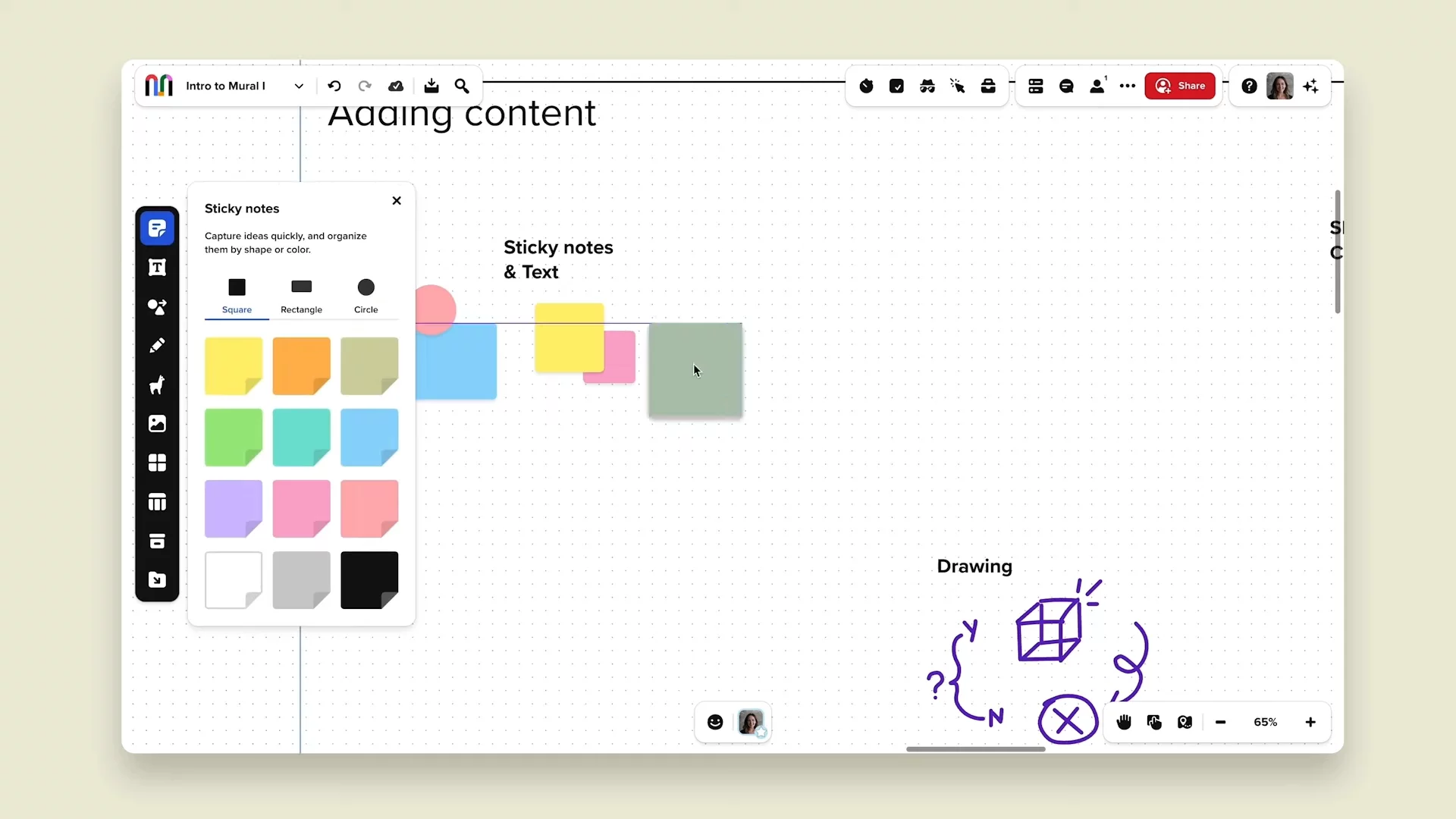
Adding Sticky Notes and TextLearn how to add, color-code, resize, and arrange sticky notes, plus insert headings and paragraphs for clear brainstorming and presentations.
13:43
Mural logo

Mural

Mural is a secure, AI-powered visual work platform purpose-built for collaboration.Learn more about Mural

Interactive Demos (0)

Useful Links & Resources

Related companies