
Demo Summary
In this video, you’ll see how to use Mailchimp’s Customer Journey Builder to set up automated marketing paths. Mariana shows how to start a new journey, pick who joins, and add steps like welcome emails and delays. You’ll learn to name your journey, set goals, and turn it on. She also explains how to check results and use pre-built or AI-powered journeys. This tool saves you time and sends personalized messages to boost engagement and sales.
AI-Detected Features
Introduction to Customer Journey BuilderMariana introduces Customer Journey Builder, highlights benefits of automating marketing to save time and personalize experiences, and notes that access may vary by plan.
00:02
Starting a New JourneyNavigate to Automations → Overview, click Build from Scratch, then name your journey and select your audience for a clear starting setup.
00:28
Planning Your Starting PointLearn the importance of choosing a starting point based on your goals, understand how a journey map outlines contact paths, and prepare to select entry conditions.
01:12
Choosing Your Starting ConditionsClick Choose a Starting Point, pick common triggers or search by category, and apply filters to refine which contacts enter the journey.
02:01
Setting Your Marketing ObjectiveUse Edit Settings (gear icon) to select a marketing objective like Nurture Relationships so Mailchimp can offer tailored reports and recommendations.
02:48
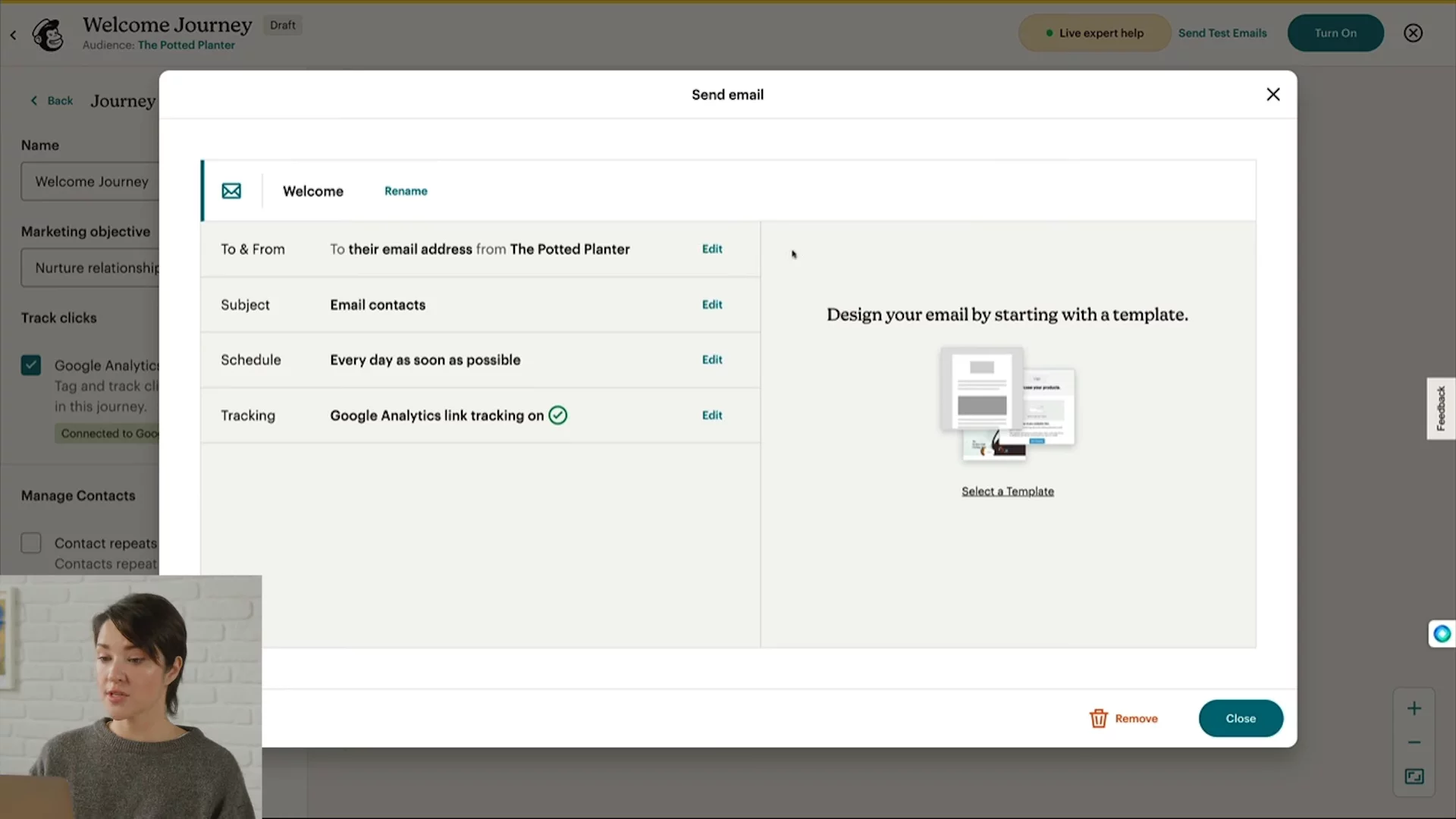
Adding Your First Email ActionAdd a Journey Point → Action → Send Email, name it “welcome,” and review key setup steps for from/to names, subject, schedule, tracking, and design.
03:06
Adding a Delay and Follow-Up EmailUnder Rules, add a Time Delay of two days, then add another Send Email action named “welcome Discount” to deliver a follow-up offer.
03:46
Activating Your JourneyTurn on your journey (button reads Turn On or Continue), remember contacts start entering only after activation, then close to return to the overview page.
04:27
Monitoring Journey PerformanceRegularly check the Recent Journey section for statuses and contact progress, click View Report for details, or View My Journeys to see all automations.
04:47
Exploring Pre-Built Journeys and AI ToolsDiscover pre-built journey templates and AI-powered Intuit Assist automations, learn plan availability, beta status, language support, and where to find more info.
05:16

Mailchimp
Mailchimp is the #1 email marketing and automations platform that helps businesses turn emails and SMS into revenue.Learn more about MailchimpMore Demos (1)
Interactive Demos (0)
Useful Links & Resources
Related companies

beehiiv
The newsletter platform built for growth.

AWeber
Help people send emails and sell stuff to their customers.

Drip
Automate personalized marketing emails to increase online store sales.