
Demo Summary
Summary is not available yet.
AI-Detected Features
Introduction to Keyword Tool ProOverview of the tool’s ability to find hidden low-competition keywords and a demo outline.
00:00
Starting Your First Keyword SearchEnter a seed keyword, select country and language to generate keyword suggestions relevant to your target audience.
00:17
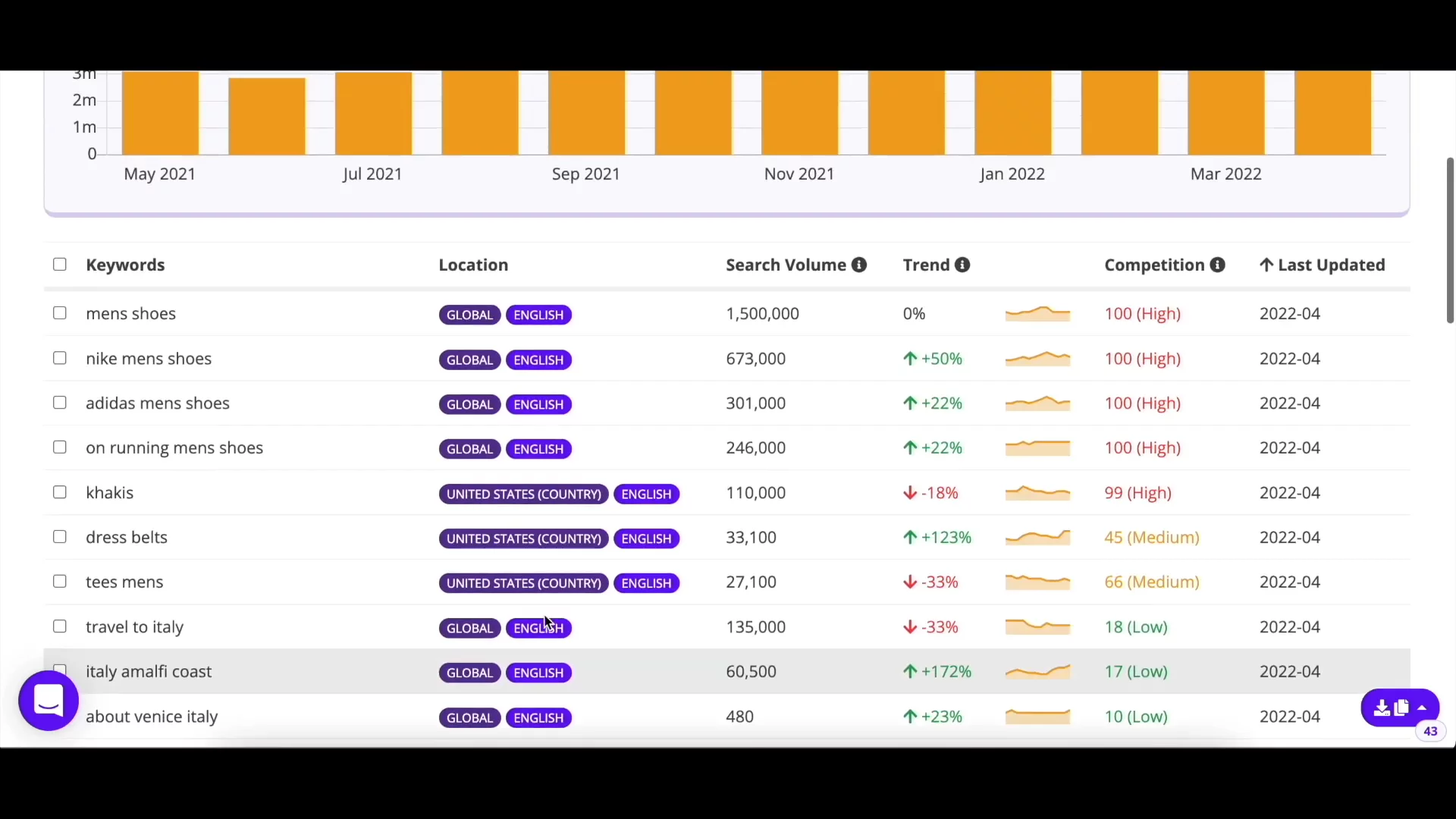
Understanding Keyword MetricsLearn about search volume, trends, cost per click, and competition metrics and how to interpret them with a travel example.
00:39
Filtering and Excluding KeywordsApply filters on volume, trends, and competition, and exclude unwanted terms to refine your keyword list.
01:22
Changing Parameters and Exporting ResultsSwitch locations or languages, add keywords to the basket, export lists in various formats, and use hover buttons for quick searches.
02:17
Using the Keyword BasketStore up to 2,000 selected keywords by search engine for later retrieval without re-running searches.
02:57
Exploring Questions, Prepositions, and Related TabsDiscover additional keyword ideas through FAQs, prepended terms, and semantically related keywords.
03:32
Competitor Keyword AnalysisAnalyze a competitor’s site to uncover their ranking keywords and identify content gaps for your strategy.
04:15
Bulk Search Volume ChecksUse the Check Search Volume tool to quickly fetch metrics for up to 700 keywords at once.
04:49
Expanding to Multiple Search EnginesAccess keyword suggestions from 10 more platforms, including social media and e-commerce sites.
05:27

KeywordTool.io
KeywordTool.io is a free online keyword research instrument that uses Google Autocomplete to generate hundreds of relevant long-tail keywords for any topic.Learn more about KeywordTool.ioMore Demos (1)
Interactive Demos (0)
Useful Links & Resources
Related companies

Moz
They help websites show up better in online searches.

Serpstat
They help websites show up better in internet searches.

Surfer SEO
They help websites show up better in internet searches.