
Demo Summary
Summary is not available yet.
AI-Detected Features
Introduction & Installing InbounderMeet Inbounder, a combined content and research tool. Install the Slack app, answer setup questions about your content goals, pillars, and tone, then open Inbounder from the Apps menu.
00:06
Building Your Content LibraryFeed Inbounder with your company knowledge by adding it to relevant Slack channels to capture conversations, or uploading files directly in the Messages tab—meeting transcripts, PDFs, article links, voice notes, and more.
00:29
Creating Posts with Content SuggestionsOn the homepage, browse topic suggestions based on your conversations, uploaded materials, and content pillars. Click “Create” to have Inbounder draft a post for you.
01:01
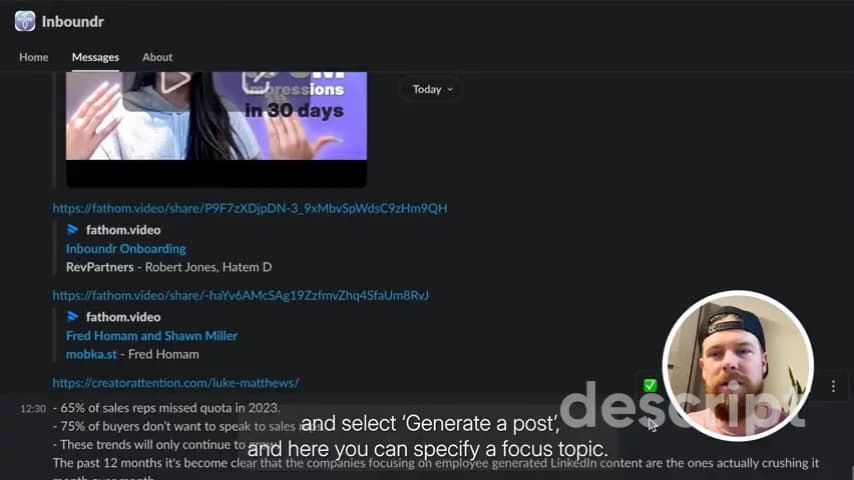
Generating Posts from Messages & TranscriptsHover over any message or transcript in Slack, select “Generate a Post,” specify a focus topic, and optionally enable internet search. Inbounder will add supporting stats and resources.
01:20
Drafting Posts with Your Own NarrativeSend Inbounder a message with your idea, choose “Create a Post,” fill in your desired topic, and toggle web research. Review the draft enriched with external insights and examples.
01:45
Monitoring Performance InsightsView individual and team-wide analytics in Inbounder to track how each member’s content performs, helping you monitor results and refine your content strategy over time.
02:40

Inboundr.ai
Inboundr helps GTM teams to create engaging LinkedIn content that drives brand awareness and inbound leads.Learn more about Inboundr.aiMore Demos (1)
Interactive Demos (0)
Useful Links & Resources
Related companies

Folloze
A platform to build personalized microsites and landing pages at scale

Ocoya
Provides AI-driven social media content creation, scheduling, analytics, and e-commerce integration platform.

beehiiv
The newsletter platform built for growth.