How RevOps Teams use Champify

Demo Summary

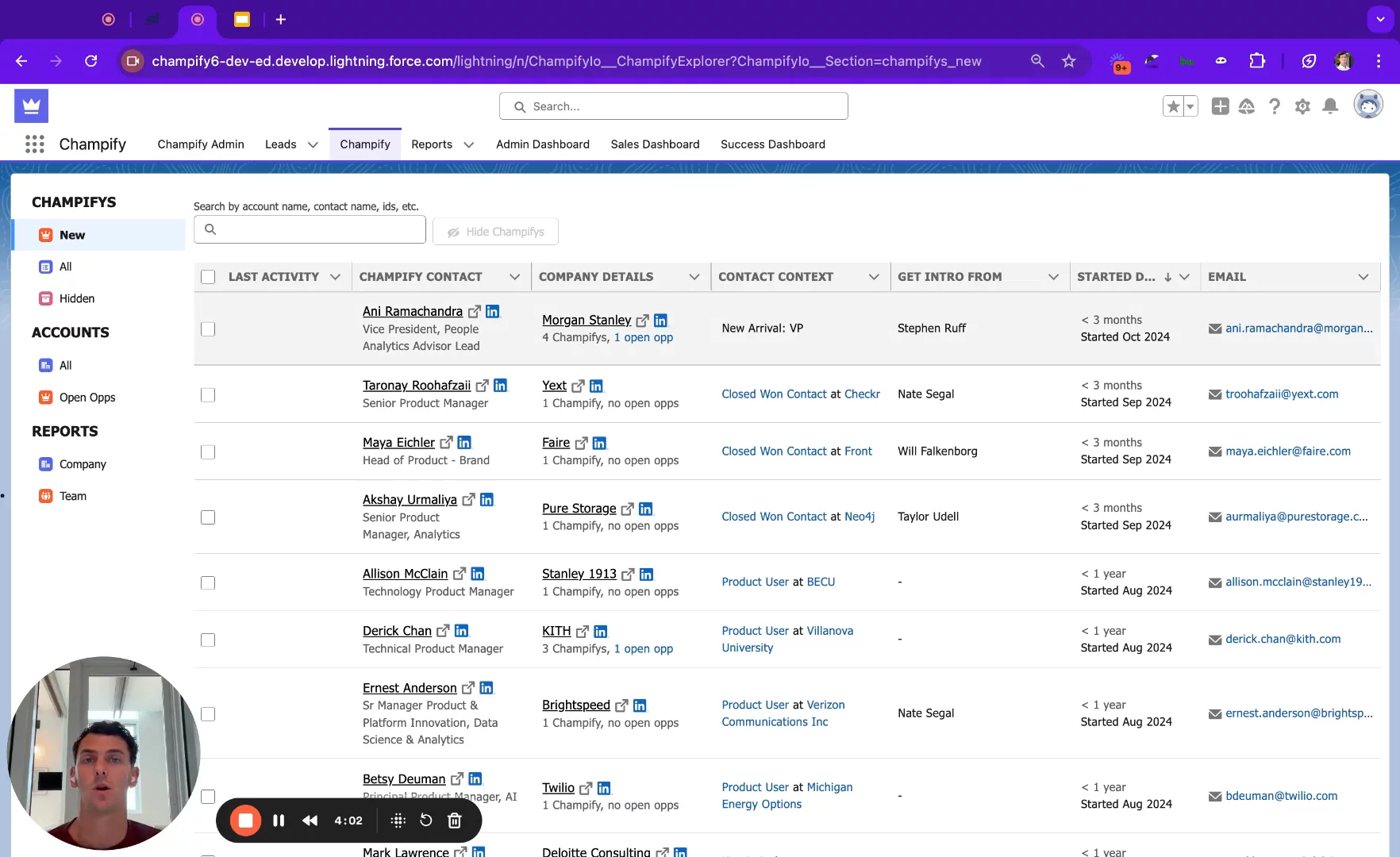
In this video, CEO Todd Bustler shows you how to set up Champli inside Salesforce. Champli tracks your customer champions when they change jobs, watches for new executives in your key accounts, and keeps your contacts clean and full of up-to-date info. You’ll learn how to link Champli to Salesforce reports or CSV files, pick which accounts and job titles to follow, and send alerts or leads to your team using email, Slack, or your own routing rules. You’ll also see Champli’s reports on new leads, team activity, and sales pipeline. With Champli, you never miss an opportunity and your data stays fresh automatically.

AI-Detected Features

Introduction to Champlify SetupTodd Bustler, co-founder and CEO of Champli, introduces a walkthrough of the setup process for the Champlify application and solution.
00:00
How Champlify Helps Your BusinessOverview of three key benefits: best-in-class champion tracking, monitoring executive arrivals in target accounts, and keeping contacts clean, fresh, and enriched.
00:11
Identifying Key AdvocatesLearn how Champlify reads standard Salesforce reports (or CSV files) to automatically capture champions—customers, users, and success contacts—without manual updates.
01:45
Choosing Accounts to MonitorSet up the accounts that matter most—target accounts, open opportunities, existing customers, and closed-lost deals—using Salesforce reports to trigger alerts on key executive movements.
02:36
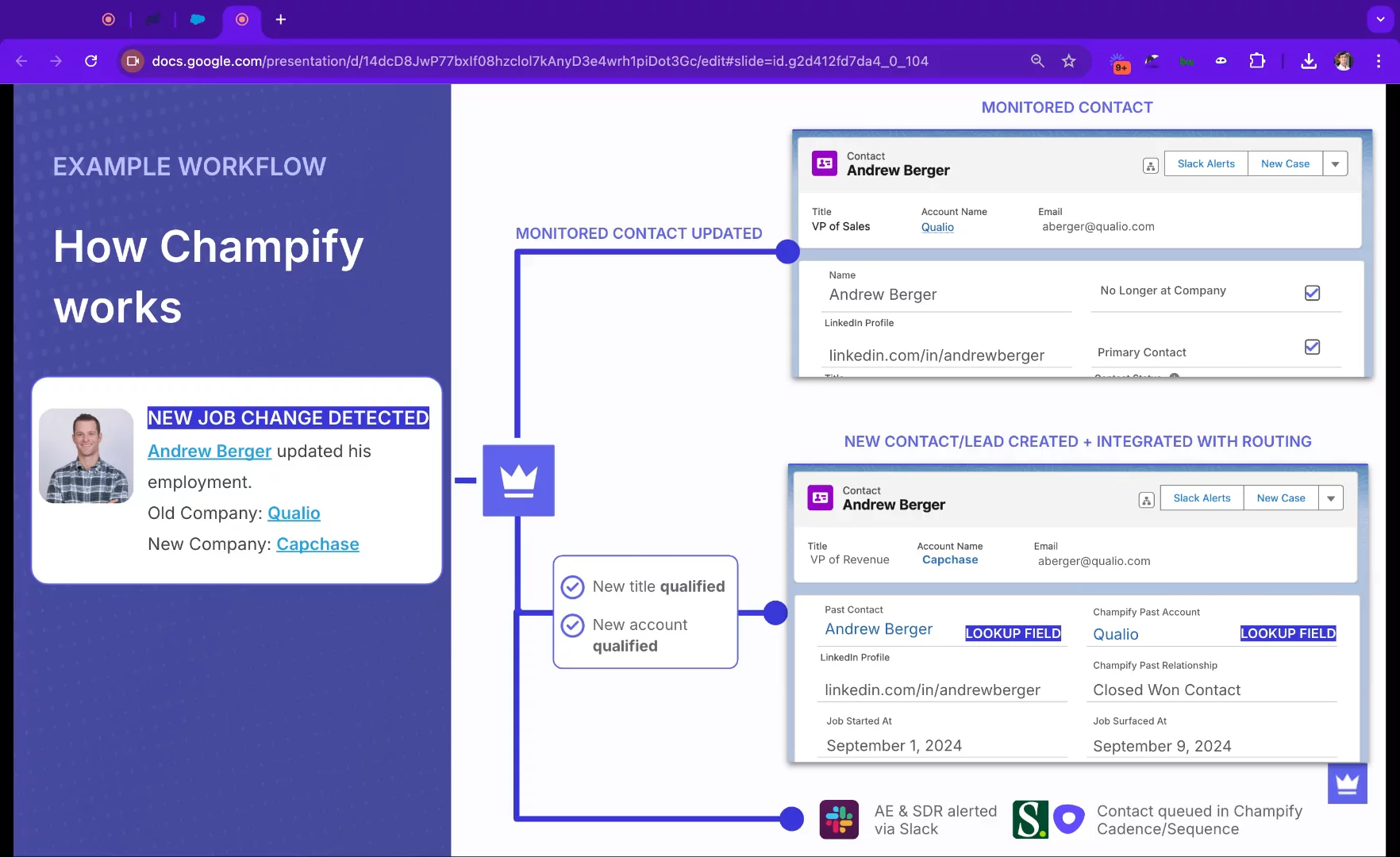
Champion Movement ExampleSee an example of detecting a champion’s job change, using AI and human-readable rules to qualify the update, marking old records inactive and creating new contact records linked to the original.
03:06
Filtering & Routing ChampionsCustomize inclusion and exclusion filters by title, account size, industry, and more. Choose how to route updates—creating leads, contacts, or hybrid objects—and handle duplicates and opportunity matching.
03:47
Notifications & ReportingConfigure email and Slack alerts, schedule enrichment jobs, and test notifications. Use standard Salesforce reporting or Champlify’s out-of-the-box pipeline reports to track created opportunities and activity.
05:03
Summary & Next StepsRecap of Champlify’s three core functions—champion tracking, exec arrival alerts, and data enrichment—and pointers to Champlify.io and documentation for further learning.
06:50
Champify logo

Champify

Create and close more opportunities by tracking & engaging your customers as they change jobs. Learn more about Champify

Interactive Demos (0)

Related companies

Terminus  logo

Terminus

Terminus is the platform that unifies your go-to-market success.

Folloze logo

Folloze

A platform to build personalized microsites and landing pages at scale

LoneScale logo

LoneScale

Turn smart signals into sales success.