
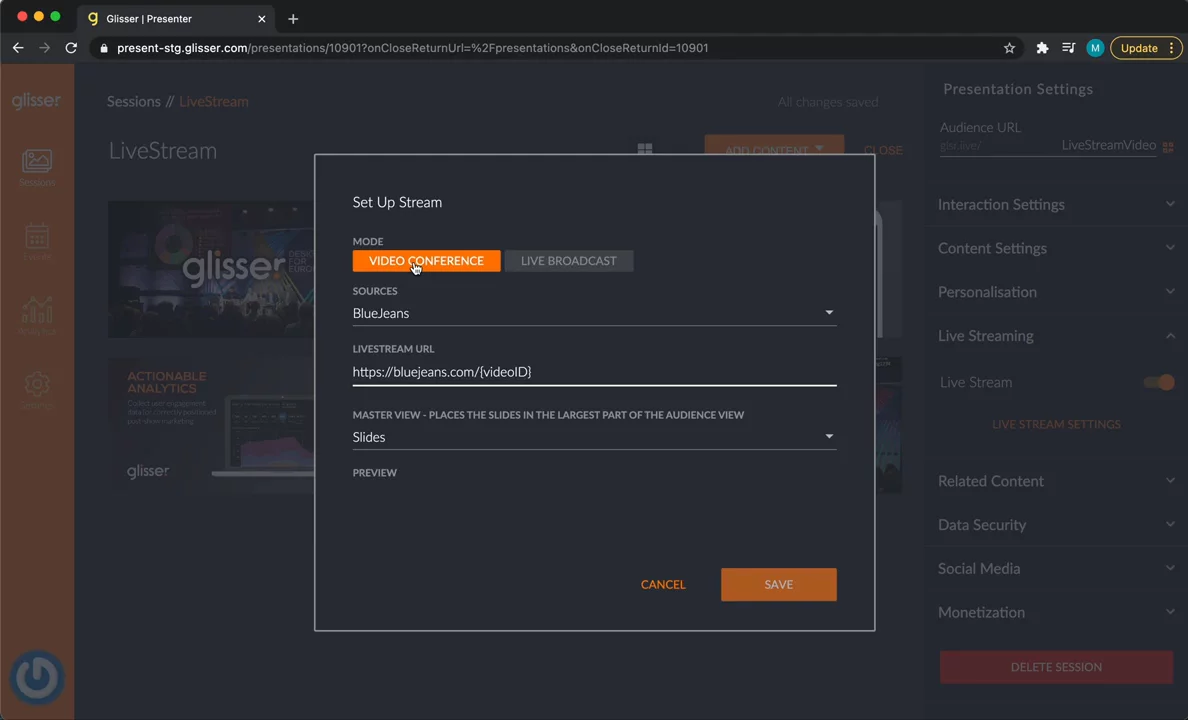
This video shows how to use GLISSR Stream, a tool for live streaming. You’ll learn how to set up a stream for a session or event. First, choose between a Video Conference or a Live Broadcast. Video Conferences let everyone talk and be seen, perfect for smaller groups. Live Broadcasts are for larger audiences who watch but don’t join in. GLISSR Stream supports providers like Zoom and a new option, GLISSR Stream. You’ll also pick if video or slides appear bigger on screen. This helps you share your message whether you're teaching a class or hosting a big event.

Glisser
Glisser is an interactive presentation and event platform for virtual, hybrid, and in-person experiences.Learn more about GlisserMore Demos (1)
Interactive Demos (0)
Useful Links & Resources
Related companies

InGo
Turn your existing audience into your top acquisition channel.

HeySummit
They help make big online meetings easy and fun.

PheedLoop
They help make big meetings and events easier to plan.