Formstack Sign

Demo Summary

In this video, you’ll see how to build a contact form using Formstack. First, you pick a blank form and name it. Then you drag and drop fields like name, email, and checkboxes. You learn how to set simple rules to show or hide questions—like asking history students extra questions—or switch form languages. You also pick a look, set up email notifications, add security, and share your form online. This helps teams collect information faster without extra work.
AI-Detected Features

Introduction and Starting a New FormOverview of today’s demo and clicking the Create button to begin building a basic contact form.
00:00
Form, Survey, and Workflow OptionsExplanation of the differences between static forms, one-question surveys, and multi-step workflows, and choosing the Form option.
00:20
Naming Your Form and Choosing a TemplateHow to name your form, select a folder, see the auto-generated URL, and choose between a blank form or a preset template.
01:01
Adding Sections and FieldsIntroduction to the form builder sidebar: adding sections, dragging basic fields like name and email, and inserting phone, checkbox, and dropdown fields.
01:46
Customizing Field Labels and TypesEditing field labels (e.g., changing “Name” to “Student Name”), adjusting field types via the dropdown, and marking fields as required.
02:53
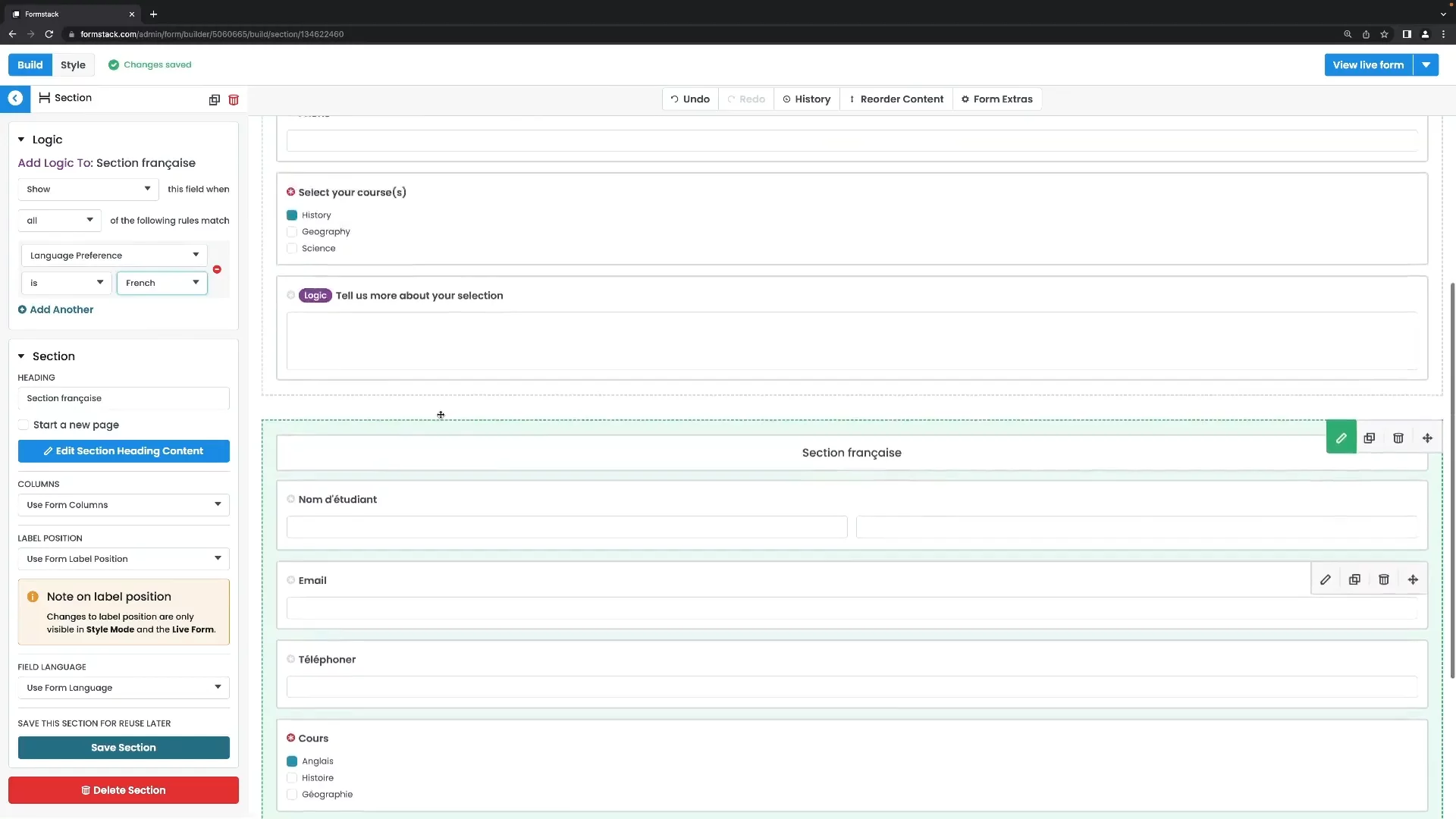
Implementing Field LogicUsing logic rules to show or hide fields based on previous answers, including creating a long-answer field that appears only when “History” is selected.
03:38
Supporting Multiple LanguagesSetting up a language dropdown, creating separate sections for English and French, and adding logic to show each section based on the selected language.
06:25
Form Extras and StylingExploring form extras like Save & Resume and progress indicators, and customizing look and feel with themes on the Style page.
08:17
Configuring Notification and Confirmation EmailsSetting up internal notification emails, end-user confirmation emails, customizing sender, subject, content, and adding logic to send emails based on responses.
09:34
Welcome and Submission MessagesCreating a welcome message displayed before the form and custom submission messages shown after submission, with optional logic for tailored messages.
12:08
Formstack Sign logo

Formstack Sign

Formstack Sign is a user-friendly electronic signature software that enables businesses to securely collect digital signatures on documents from any device.Learn more about Formstack Sign

More Demos (1)

Interactive Demos (0)

Useful Links & Resources

Related companies

Oneflow AB logo

Oneflow AB

Streamlines digital contract management with automated workflows, secure e-signatures, and seamless integrations.

RPost logo

RPost

Secure e-signature and email platform for compliant digital transactions and communications.

Dotloop logo

Dotloop

All-in-one real estate transaction management platform for agents, brokers and teams.