Craft.io - Create and manage roadmaps

Demo Summary

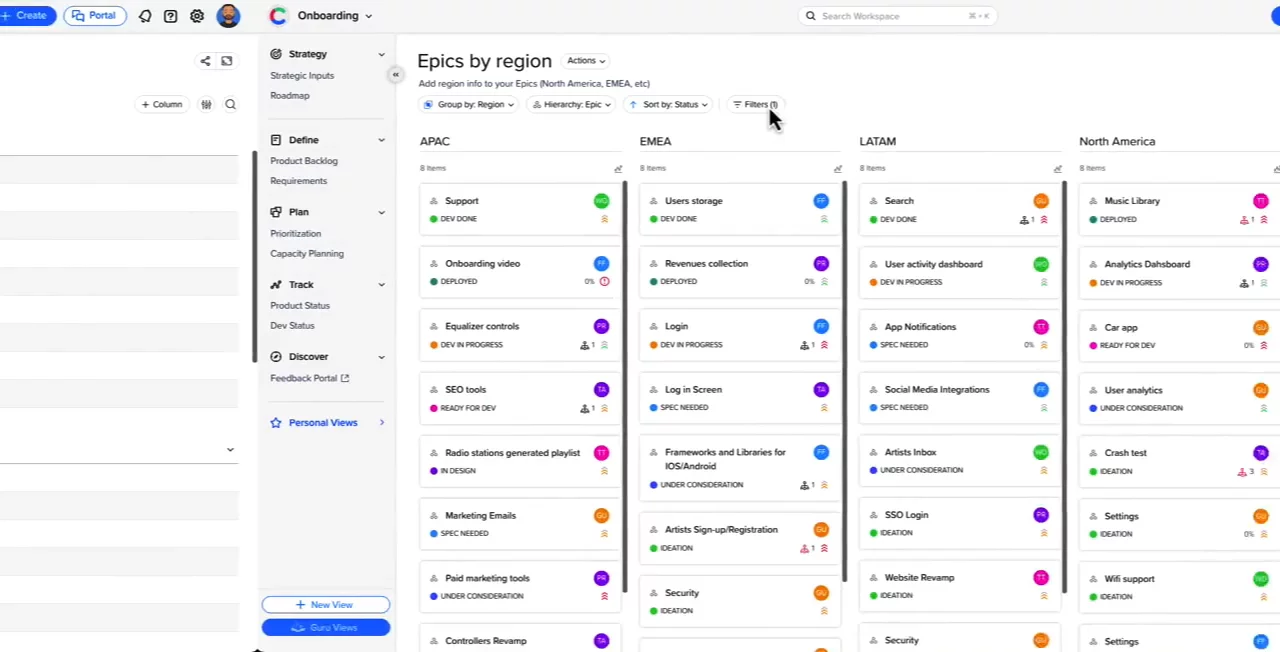
In this video, you’ll see Craft IO, a platform that helps product teams plan and track work all in one place. You’ll learn how to set up a backlog with big projects, features, and tasks. You’ll watch how to rank work using RICE or MoSCoW and plan team capacity. You’ll then build roadmaps to share your plans. You’ll also discover strategy tools like OKRs, a feedback portal for customer input, and how to sync with Jira or Azure. Finally, you’ll see how to manage many teams in one portfolio.

AI-Detected Features

Introduction to Craft IOGet an overview of Craft IO, an all-in-one product management platform that eliminates the need for multiple tools and offers dedicated views via the left navigation menu.
00:01
Organizing with the Product BacklogLearn how to use the product backlog to define work items using a four-level hierarchy—initiatives, epics, features, and stories—edit items, fill in properties, and start quickly with a Guru template.
00:28
Prioritization & Capacity PlanningStreamline prioritization with methodologies like RICE, WSJF, and MoSCoW or create a custom formula, then plan your quarter using cross-functional capacity planning to match scope with available resources.
00:50
Crafting Compelling RoadmapsSelect one or more roadmap views to tell a clear, visual story and effectively communicate your product plans to stakeholders.
01:11
Customizing Data & ViewsDiscover how to slice and dice all your product data with custom fields, then build tailored views to represent every stage of the product lifecycle.
01:21
Guru Layer & Tool IntegrationsApply built-in best practices instantly by choosing pre-built Guru views, and keep developers in sync by integrating with tools like Jira and Azure DevOps.
01:41
Strategic Inputs & AlignmentCapture your product strategy: create OKRs, personas, and strategic models to ensure everyone understands the ‘why’ behind your products and stays aligned with business objectives.
01:59
Gathering Stakeholder FeedbackUse the feedback portal to collect insights from internal and external stakeholders, connect feedback items to features, and focus on building what matters most to customers.
02:16
Workspace & Portfolio ManagementSupport large organizations by enabling each team to work in its own workspace, then roll up all workspaces into a product portfolio for a high-level view across the company.
02:33
Help & Next StepsFind more information in our Help Center, reach out to our team for assistance or a demo, and start crafting great products with Craft IO.
02:51
Craft.io logo

Craft.io

Craft.io is a comprehensive product management platform that helps teams build great products with confidence through end-to-end lifecycle management.Learn more about Craft.io

Interactive Demos (0)

Useful Links & Resources

Related companies

Productboard logo

Productboard

Product teams learn what customers need, pick features, and get everyone on the same page.

LaunchNotes logo

LaunchNotes

Helps product teams share updates, get feedback, and keep people interested.

Split.io logo

Split.io

Manage feature releases, experiment, and make data-driven product decisions.