
Demo Summary
This video shows how to start with Capsule CRM. Capsule CRM helps you manage contacts, sales, and projects. You’ll learn to set up an account, import contacts from CSV files, and add custom fields. See how to view and filter contacts and check details, tasks, emails, and files in each record. You’ll also use tags and data tags to organize contacts. Next, set up a sales pipeline: add stages and drag deals through them. Finally, build project boards, connect more than 70 apps, and invite teammates.
AI-Detected Features
Introduction to CapsuleWelcome to Capsule CRM. Learn what Capsule does and get an overview of how this video will guide you through setting up your account and exploring key features.
00:00
Importing ContactsStart by adding contacts. Import your data from another CRM via a third-party service or upload a CSV file. Map fields, create or use custom fields, confirm the import, and receive an email when it’s complete.
00:17
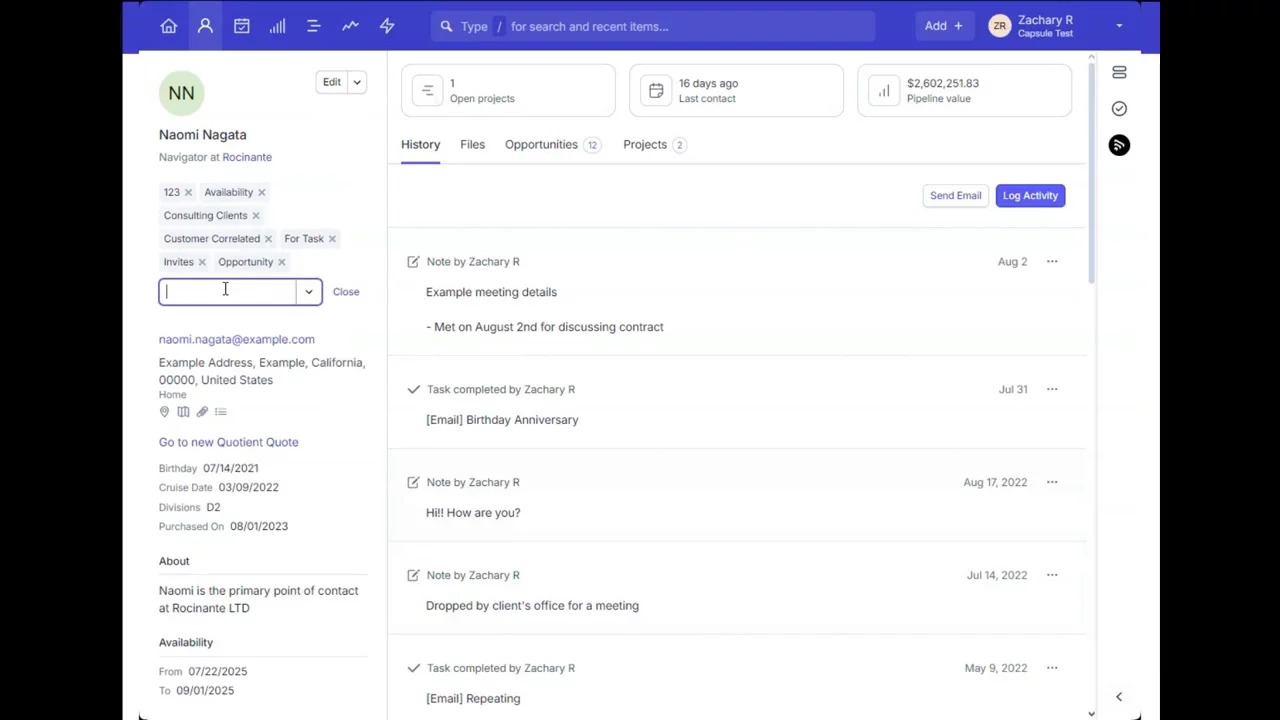
Viewing and Managing ContactsSee your contacts in list view, apply filters to find specific people or organizations, and explore an individual record’s details, including basic info, activities, tasks, emails, files, and related opportunities or projects.
01:11
Setting Up Custom FieldsCustomize your records by adding new fields in Account Settings. Choose the record type (contacts, opportunities, or projects) and select the right data type for the information you want to capture.
01:56
Using Tags and Data TagsOrganize contacts with tags. Create and manage tags in settings. Then, use data tags—a tag combined with custom fields—to record structured information directly on a contact record.
03:02
Building Your Sales PipelineSet up opportunity stages (milestones) to match your sales process. View opportunities on a visual pipeline or in list view, move deals through stages with drag-and-drop, and apply filters to track progress.
04:36
Managing ProjectsCreate project boards with customized stages to track work from start to finish. Move projects through stages on the board, and add multiple boards if you have different project workflows (available on higher plans).
05:37
Connecting IntegrationsExtend Capsule with over 70 integrations for accounting, email storage, marketing, and more. Browse and set up integrations on the Capsule Integrations page.
06:10
Inviting Your TeamCollaborate by inviting team members via Account Settings. Add users by entering their details and email address, then send an invitation so they can join your Capsule account.
06:25
Next Steps and SupportExplore more videos on automation, reporting, and user roles. If you need help, contact Capsule’s friendly support team through the contact form or by emailing support@capsulecrm.com.
06:48

Capsule
Capsule CRM helps SMBs win new business, retain clients and deliver exceptional work.Learn more about CapsuleMore Demos (1)
Interactive Demos (0)
Useful Links & Resources
Related companies