
Demo Summary
This video shows you how the Blumira security tool finds and stops attacks on your network. You will see a real example of a Microsoft 365 inbox hack. You’ll learn how to use alerts and step-by-step guides to fix problems fast. Then you’ll watch how to add the Blumira Agent on Windows, Mac, or Linux, and how to cut off a hacked computer by hand or set up automatic blocking. Blumira helps you find and fix security issues around the clock without extra staff.
AI-Detected Features
Introducing Bluemira SIEM XDROverview of Bluemira’s SIEM XDR platform and 24/7 security operations team, designed to detect early signs of attack, reduce impact, and provide continuous coverage without hiring full-time analysts.
00:00
Real-Time Threat Detection & AlertingHow Bluemira collects, analyzes, and detects threats in your environment, sending prioritized findings or alerts in minutes so you can respond quickly and minimize damage.
00:25
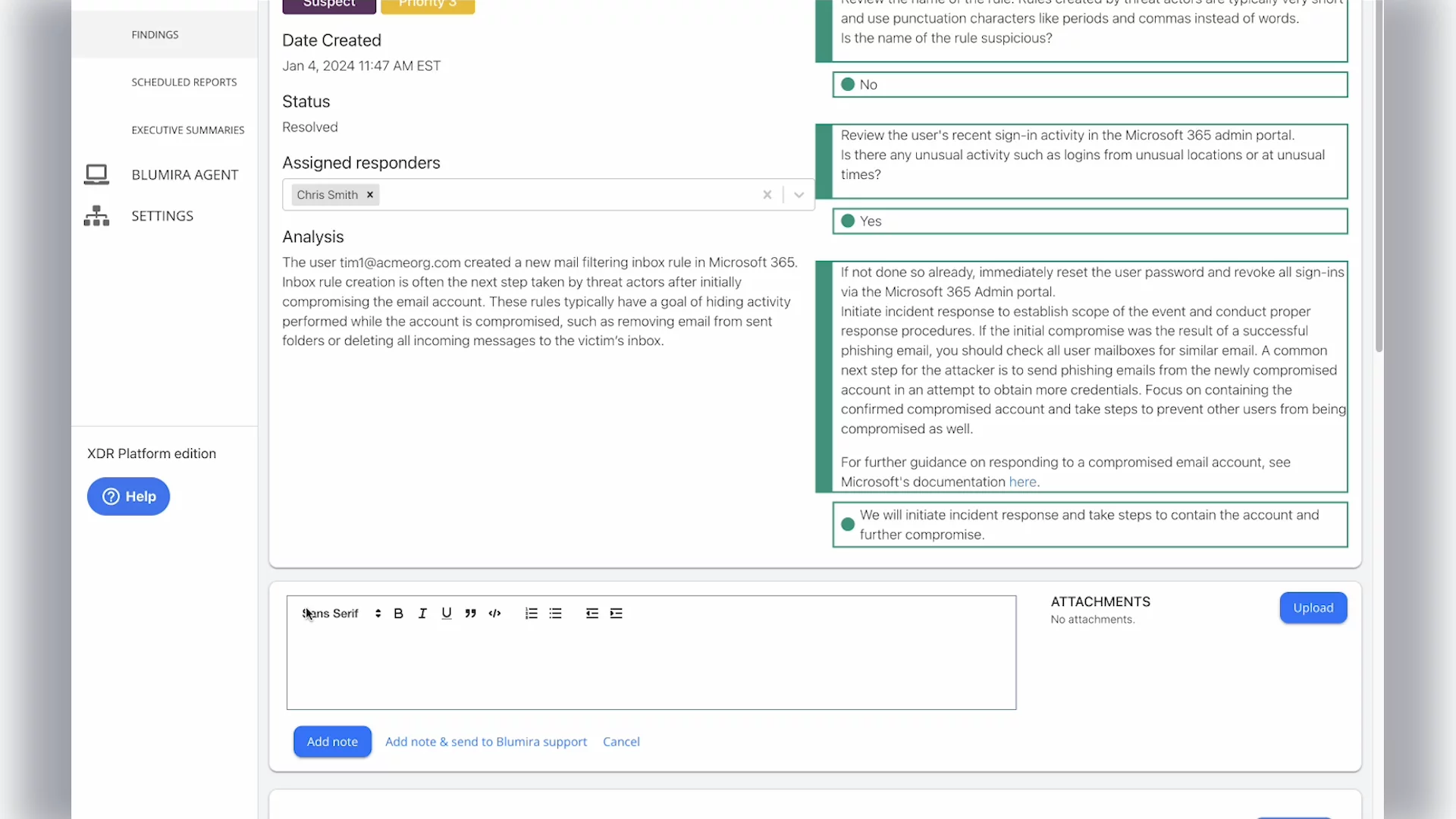
Understanding a Security FindingDeep dive into a Microsoft 365 suspicious inbox rule creation finding, explaining what it means, why it’s critical, and how attackers use it for wire fraud and vendor compromise.
00:39
Responding with Guided PlaybooksWalkthrough of assigning yourself as responder, following the automatically populated playbook, reviewing suspicious rules and user activity, and closing the finding once you’ve initiated response steps.
01:21
Collaborating & Detailed InvestigationUsing the Add Note feature to contact Bluemira’s 24/7 SecOps team for help, and viewing all matched evidence and related data in Details to streamline deeper incident investigation.
02:28
Installing the Bluemira AgentOverview and step-by-step guide to install the lightweight Bluemira Agent on Windows, Mac, and Linux endpoints, enabling continuous log collection, detection, and automated response.
03:02
Manual Host IsolationInstructions to manually isolate a compromised endpoint by selecting the device in Bluemira, choosing Host Isolation, and saving changes to contain threats until you investigate further.
03:57
Automated Host Isolation SetupConfiguration of Auto Host Isolation (AHI) to automatically contain any endpoint with a Priority 1 threat, requiring no human intervention and ensuring around-the-clock protection.
04:25
Get Started with BluemiraFinal encouragement to sign up for a free SIEM trial, highlighting the benefits of automated detection, response, and continuous security monitoring.
05:00

More Demos (1)
Interactive Demos (0)
Useful Links & Resources
Related companies