
Demo Summary
This video shows how to use Breezy HR, a simple hiring tool. You’ll learn how to set up your dashboard, invite team members, and design a careers page. You’ll see how to make job listings, gather and check applications, and screen candidates with questions and rating forms. The demo also shows how to schedule interviews, send emails and texts, and run useful reports. Breezy HR solves the problem of using too many tools by giving you one place for all hiring tasks.
AI-Detected Features
Introduction to Brizy HRGet an overview of what we’ll cover: navigating the platform, adding users, creating positions, designing the career page, working with candidates, and exploring advanced features.
00:05
Navigating the DashboardLearn about the Dashboard view: your active positions, new candidates, upcoming meetings, tasks, and team conversations—all in one place.
00:24
Adding Users to Your AccountSee how an admin can invite team members via Company Settings, assign roles, enable an auto-join link, and set up single sign-on for easy access.
00:50
Setting Up Your Career PageDiscover the Career Portal Settings: customize branding, design options, custom CSS/JavaScript, and publish your job listings and employee portal.
01:20
Creating and Publishing PositionsFollow the steps to add a new job: enter title, location, description; configure application fields and custom questionnaires; select pipelines, scorecards, job boards, and hiring team members.
02:19
Reviewing Applicants and Candidate ProfilesOpen a position to see candidates in your pipeline stages, view detailed profiles with resumes, contact info, files, questionnaires, and background check results.
06:21
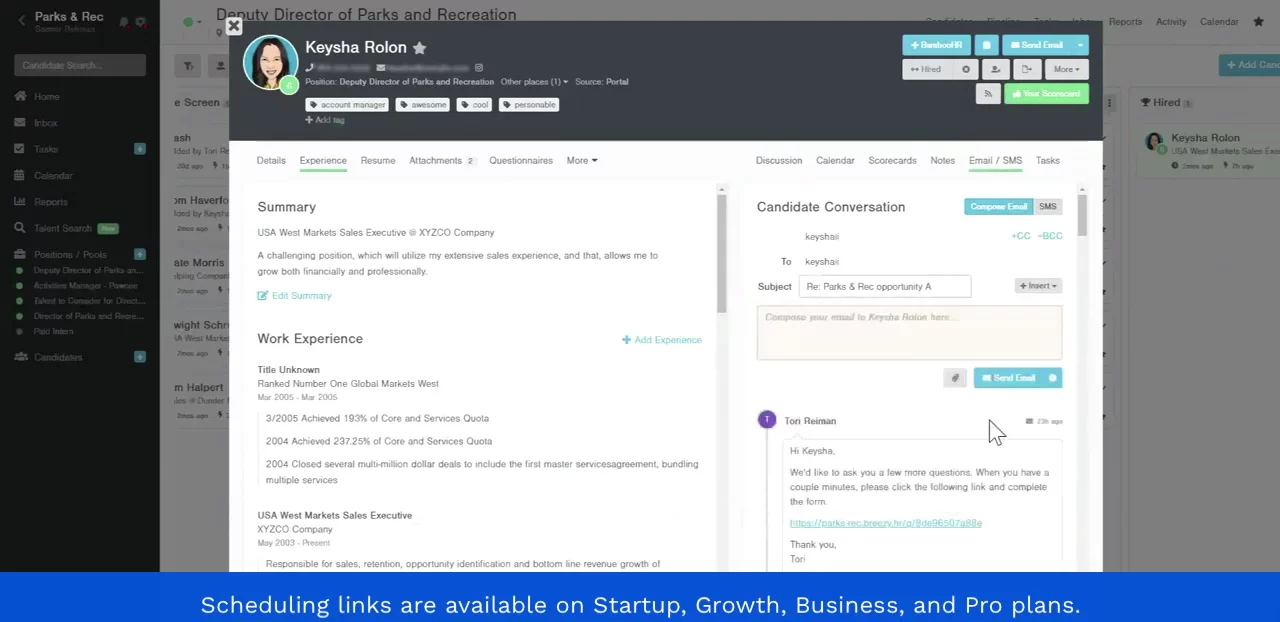
Communicating with CandidatesIntegrate your email and SMS: sync with Gmail or Outlook, send and receive messages in Brizy, use templates, and get notifications in Slack or the mobile app.
07:56
Scheduling InterviewsSchedule interviews manually by choosing date, time, duration, participants, and availability. Set up browser-based video interviews and attach recordings to profiles.
08:56
Using Self-Scheduling LinksCreate scheduling links like Calendly: define availability slots, share links via email or SMS, let candidates pick times, and sync with your calendar automatically.
10:11
Scorecards and NotesUse scorecards to standardize candidate evaluations, collect ratings and comments, and log private or team notes directly on each profile.
10:44

Breezy HR
Breezy HR is a modern applicant tracking system and hiring software that automates and streamlines the recruitment process. Learn more about Breezy HRMore Demos (1)
Interactive Demos (0)
Useful Links & Resources
Related companies