
Demo Summary
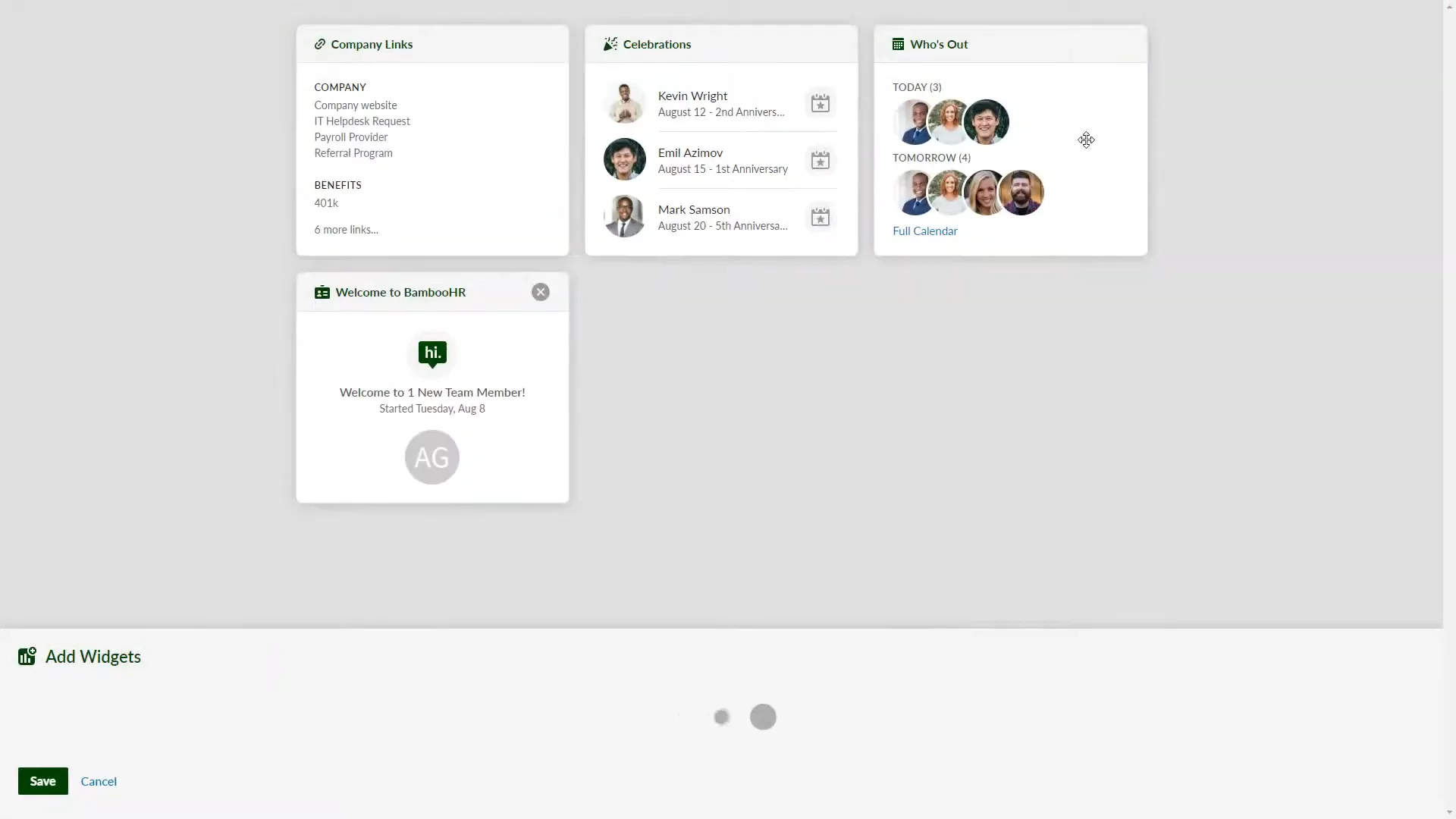
This video shows how to use BambooHR to log in, explore, and manage your work tasks. First, you’ll set up your password, log in on your company’s BambooHR site, and set up two-step login if needed. On the home page, you’ll find boxes that show your info (benefits, training, time off) and company news (announcements, birthdays, links). You can move and filter these boxes. In the People tab, you can search the directory and view the org chart. In the Inbox, you track tasks like time off requests, documents to sign, and new hire steps. BambooHR helps you keep all your employee info and tasks in one simple place.
AI-Detected Features
Welcome and Logging InGet started with BambooHR: watch for your invite email, set up your password, and log in at your company’s URL. If your company uses two-step verification, follow the on-screen QR code instructions.
00:00
Navigating the Home Page and WidgetsExplore your company’s homepage overview. Learn the difference between personal and company widgets, and customize your dashboard by dragging, dropping, expanding widgets, and applying filters.
00:44
Using the People Tab and Org ChartAccess the People tab to view your company directory—search and filter employees by department, location, or role. Switch to the org chart to see reporting structures and team relationships.
01:40
Managing Tasks in Your InboxClick the inbox icon to find all your assigned tasks—time-off requests, documents to sign, onboarding steps, and more. Click a task to view details, upload files, add comments, and complete it.
02:02
Wrapping UpYou’ve learned how to log in, navigate the homepage, customize widgets, use the people directory, and manage your tasks. You’re now ready to start using BambooHR!
02:37

BambooHR
BambooHR is a comprehensive HR software platform designed to streamline employee management, payroll, and benefits administration for small and medium-sized businesses.Learn more about BambooHRMore Demos (1)
Interactive Demos (0)
Useful Links & Resources
Related companies