
Demo Summary
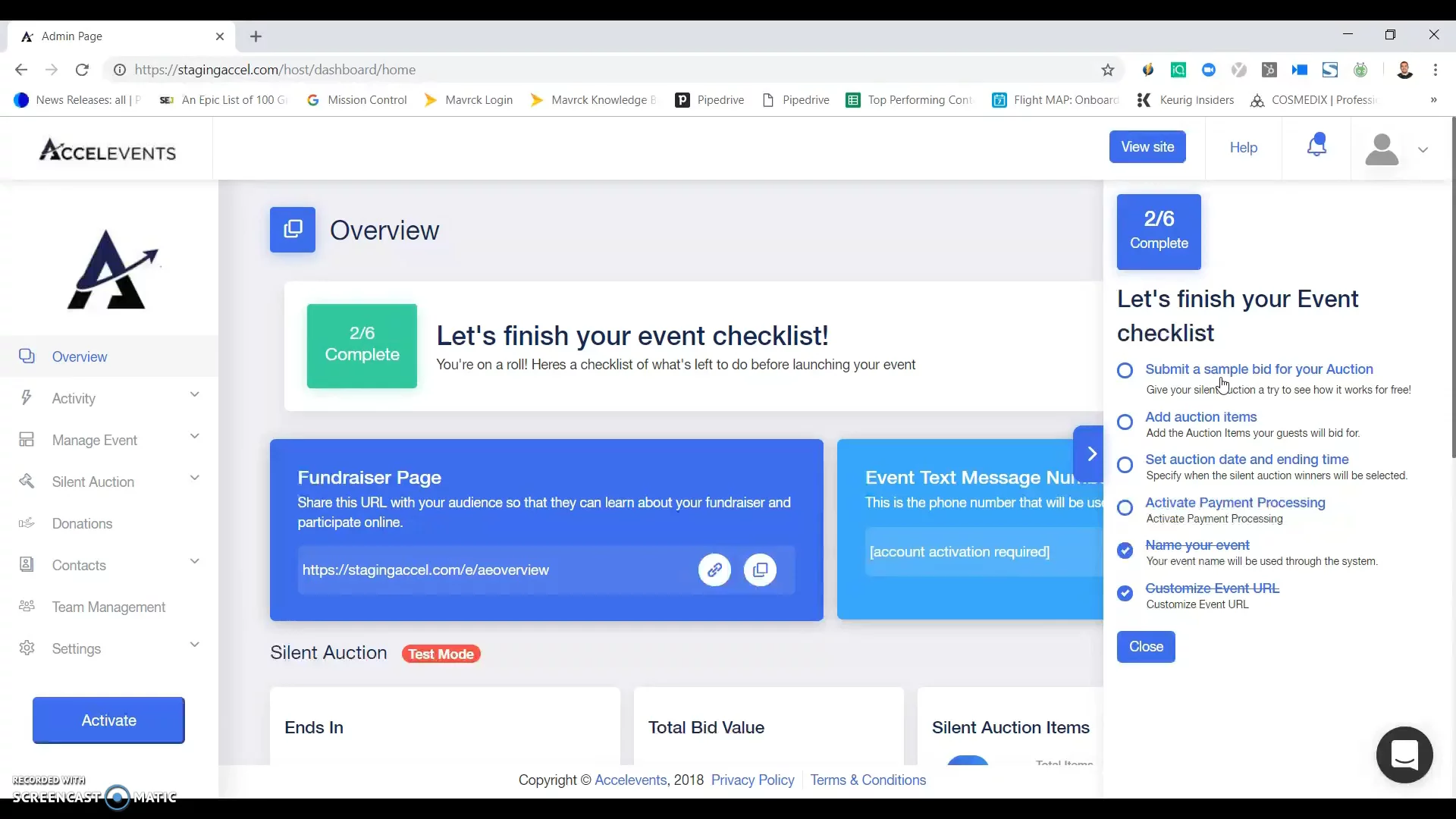
In this video, you will see how to set up a silent auction in the Dimmo platform. You start by naming your event and making a custom URL. Then you run through an event checklist. To test how it works, you submit a sample bid by entering a phone number. This checks off your first task, starts text bidding, and gives your event its own phone number. Next, you’ll move on to adding auction items. It solves the hassle of manual setup by guiding you step-by-step.
AI-Detected Features
Introduction to Auction SetupOverview of how to quickly and easily set up your silent auction using Excel Events and the event checklist.
00:00
Customizing Event DetailsLearn to name your event and customize its URL in the Manage Event → Event Details section of the dashboard.
00:09
Submitting a Sample BidSubmit a test bid to see how text bidding works and to generate a unique phone number for your event.
00:37
Next Steps: Adding Auction ItemsWith your sample bid complete and phone number set up, move on to the next phase: adding auction items.
01:37

Accelevents
Accelevents is an all-in-one event management platform for virtual, hybrid, and in-person events.Learn more about AcceleventsMore Demos (1)
Interactive Demos (0)
Useful Links & Resources
Related companies

InGo
Turn your existing audience into your top acquisition channel.

HeySummit
They help make big online meetings easy and fun.

PheedLoop
They help make big meetings and events easier to plan.