
Demo Summary
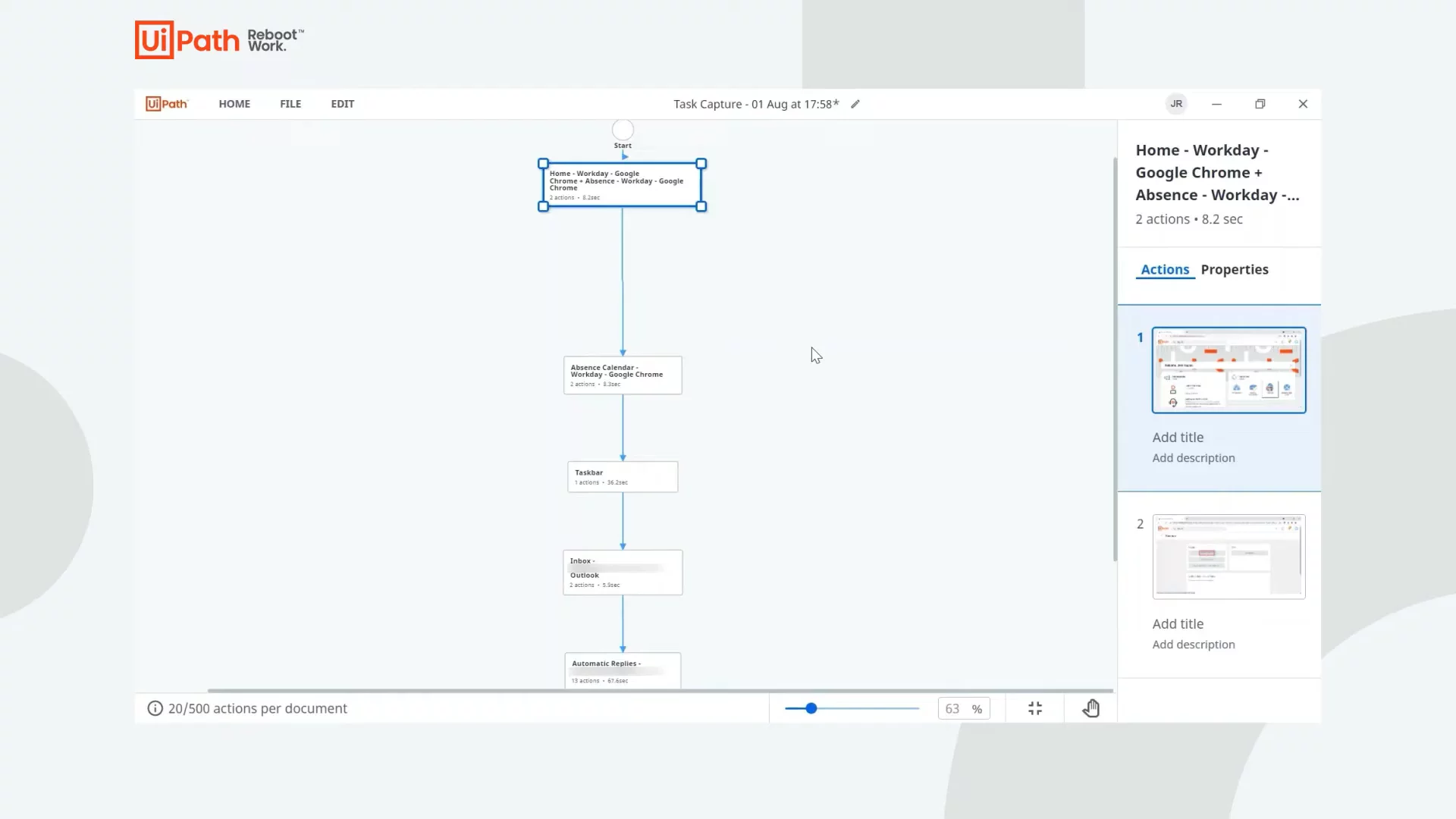
In this demo, you see UiPath Task Capture, a tool that maps and documents work steps. We start by recording an HR process: requesting time off in Workday and setting an Outlook auto-reply. Task Capture takes screenshots, names each step, and builds a flowchart you can edit. You learn how to add notes, blur sensitive info, and include decision points and swimlanes. Finally, you export your map as an image, Word doc, PDD, or XAML file for automation. It makes process docs quick and easy.
AI-Detected Features
Introduction to UiPath Task CaptureOverview of Task Capture as an intelligent tool to record, revise, and share process documentation for improvement or automation.
00:00
Starting a New Project and Choosing Mapping MethodsLearn how to create a new document and choose between the drag-and-drop Build Diagram or the automated Capture Process recorder.
00:21
Preparing and Starting Process RecordingSet up your environment by closing unused apps, signing into needed ones, then use the Capture wizard to begin recording steps and screenshots.
01:05
Capturing the Absence Request and Email Auto-ReplyRecord the HR process in Workday to request time off and configure an automatic reply in Outlook, using pause and detail fields as needed.
02:03
Reviewing and Editing Captured StepsStop recording to auto-generate a draft, then rename or merge steps, and use the editing toolkit to add visual markups and blur sensitive info.
03:37
Enhancing the Process Map with Decision Points and SwimlanesReturn to the Diagram Editor to add a decision for single or multi-day absence, overlay swimlanes for departments or applications, and rename lanes.
04:39
Saving and Exporting Your DocumentationSave your file as a Task Capture project, then choose export formats: JPEG, XAML skeleton for Studio, Word document, or Process Definition Document (PDD).
05:26
Exploring the Generated PDD and MetadataOpen the PDD to see sections like process overview, stats tables, as-is map, actions, annotated screenshots, and populated metadata.
06:05
Integration and Next StepsExport the automation skeleton to UiPath Studio, integrate with Automation Hub for seamless handoff, and visit uipath.com/taskcapture to get started.
07:10

UiPath
UiPath is a leading enterprise automation software company, accelerating human achievement through AI-powered automation.Learn more about UiPathMore Demos (1)
Interactive Demos (0)
Useful Links & Resources
Related companies