
Demo Summary
Summary is not available yet.
AI-Detected Features
IntroductionVince introduces Symbiotic Security and explains how easy it is to spell check your code for vulnerabilities.
00:00
Opening the PluginIn VS Code, click on the Symbiotic Security plugin to get started.
00:10
Starting the ScanBecause you’re already logged in, the plugin immediately begins scanning your code for issues.
00:19
Reviewing VulnerabilitiesSee the total number of vulnerabilities found and select one to investigate further.
00:23
Inspecting the IssueView details of the selected vulnerability and jump to its location in your code.
00:32
Preparing the RemediationCompare your current code with the suggested fix provided in the remediation window.
00:39
Applying the FixCopy the remediation snippet into your code and save the file to apply the fix.
00:48
Verification & ConclusionConfirm the vulnerability is removed instantly and wrap up the demonstration.
01:01

Symbiotic Security
Instantly detect and fix vulnerabilities as you code, grow into a security-savvy developer, and become your organization's strongest line of defense.Learn more about Symbiotic Security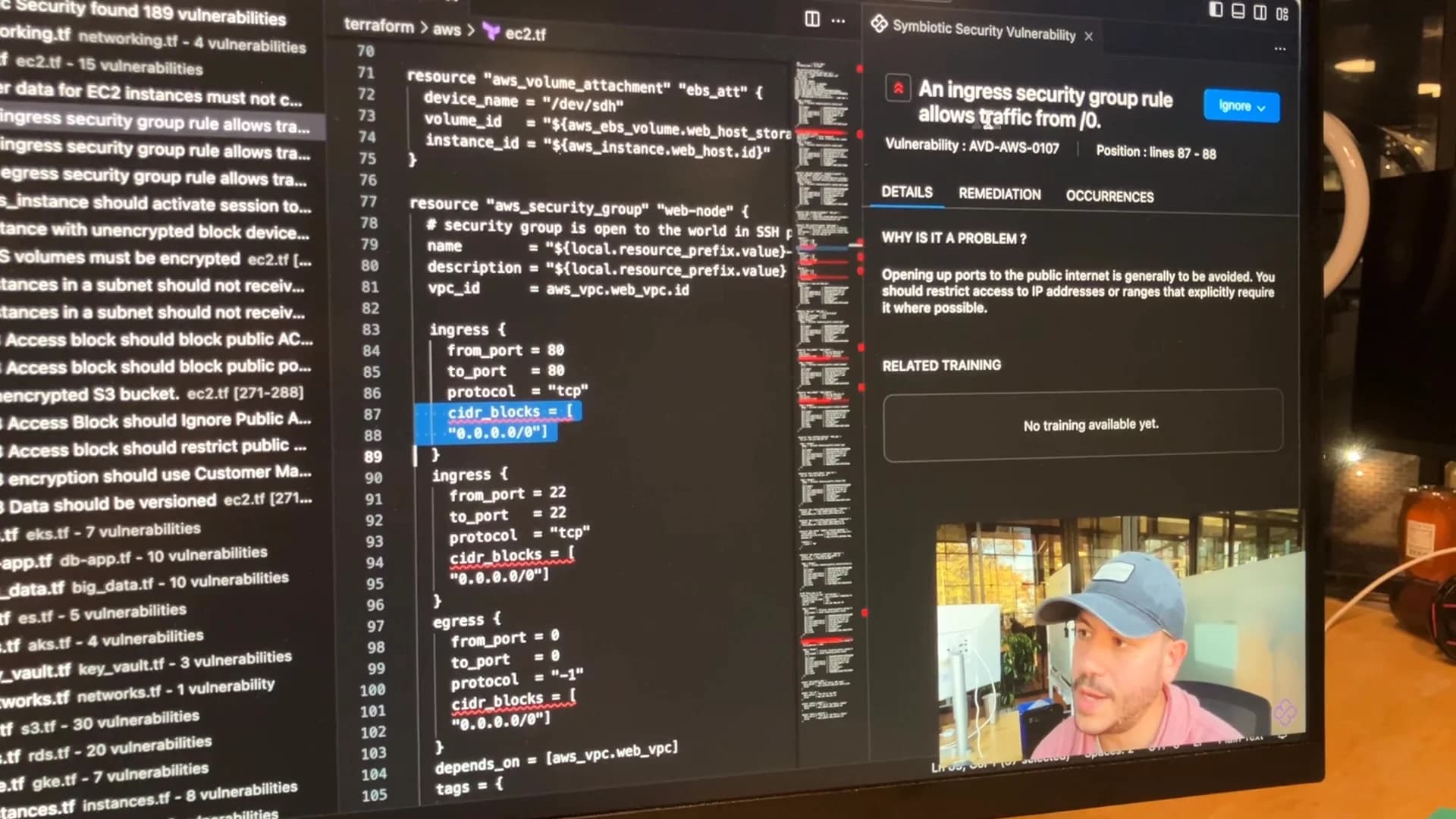
Interactive Demos (0)
Useful Links & Resources
Related companies