
Demo Summary
In this video demo, Henna Kles shows you the LastPass Vault, a tool that safely stores passwords, credit cards, SSH keys, and more. You’ll learn how to add items by typing them in, importing from other tools, or letting LastPass save them automatically when you sign up on new sites. You’ll see how to organize items in folders, search quickly, and use the browser extension or mobile and desktop apps. You’ll also discover the security dashboard that spots weak or reused passwords and dark web alerts for breaches. By the end, you’ll know how LastPass protects your accounts everywhere and why strong, unique passwords stop hackers.
AI-Detected Features
What is the LastPass Vault?Introduction to the Vault as secure storage for all sensitive information.
00:00
Meet the Presenter & Demo OverviewHenna Kles from LastPass Solution Consulting introduces this micro-demonstration of digital security essentials using the Vault.
00:10
The Cybersecurity ChallengeOverview of global cybercrime impact, risks to small businesses, and the importance of secure credentials.
00:20
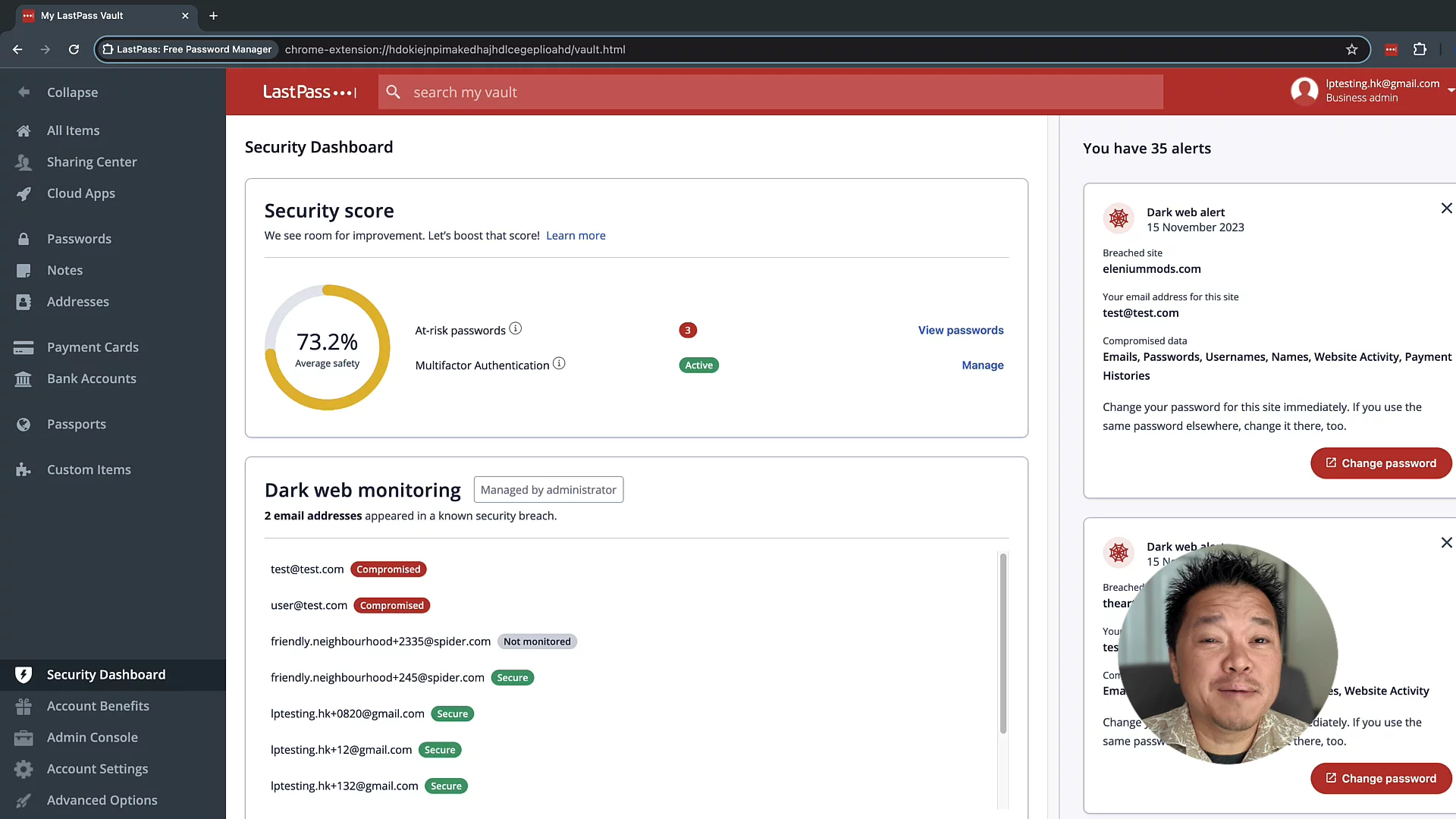
Secure Storage & Dark Web MonitoringHow LastPass protects passwords and digital assets across devices and provides dark web breach alerts.
00:46
Intuitive User InterfacePreview of the easy-to-use interface for managing credentials securely.
01:08
Vault Features & Item TypesStore and protect passwords, credit cards, SSH keys, databases, and custom items directly in the Vault.
01:18
Importing & Automatic SavingMigrate data via predefined import flows or auto-save new accounts with LastPass’s save-and-fill feature.
01:32
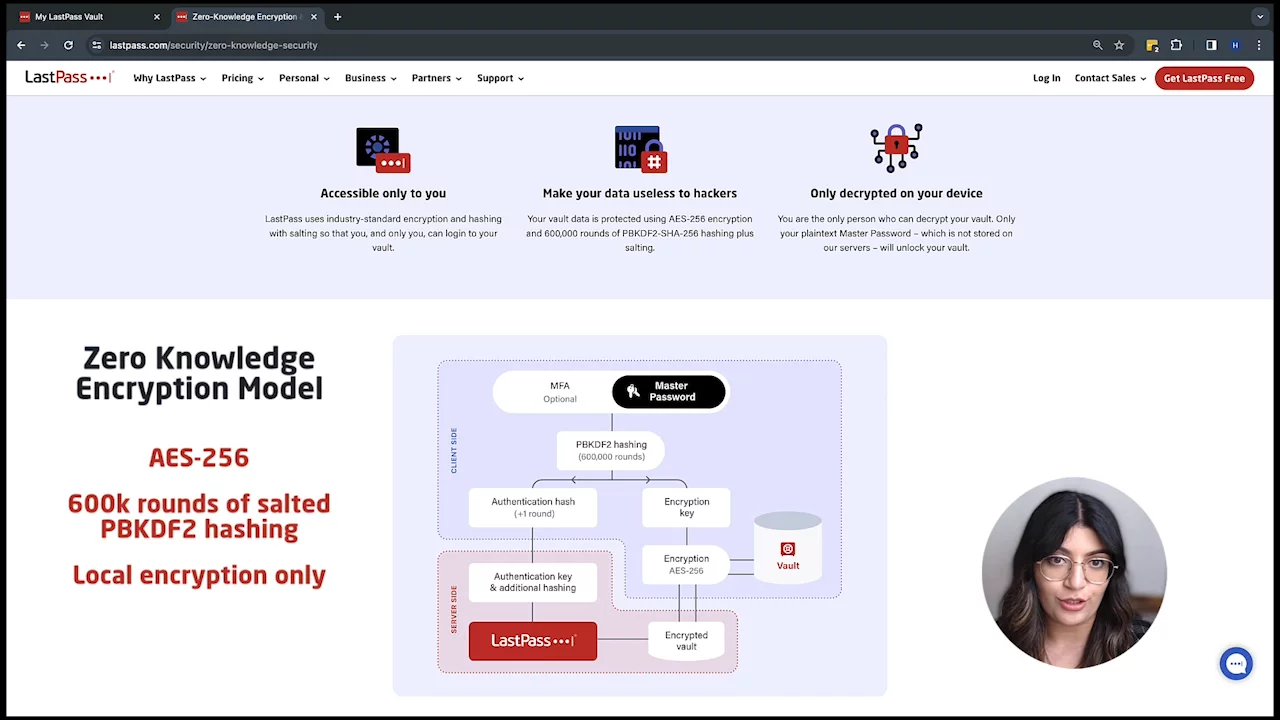
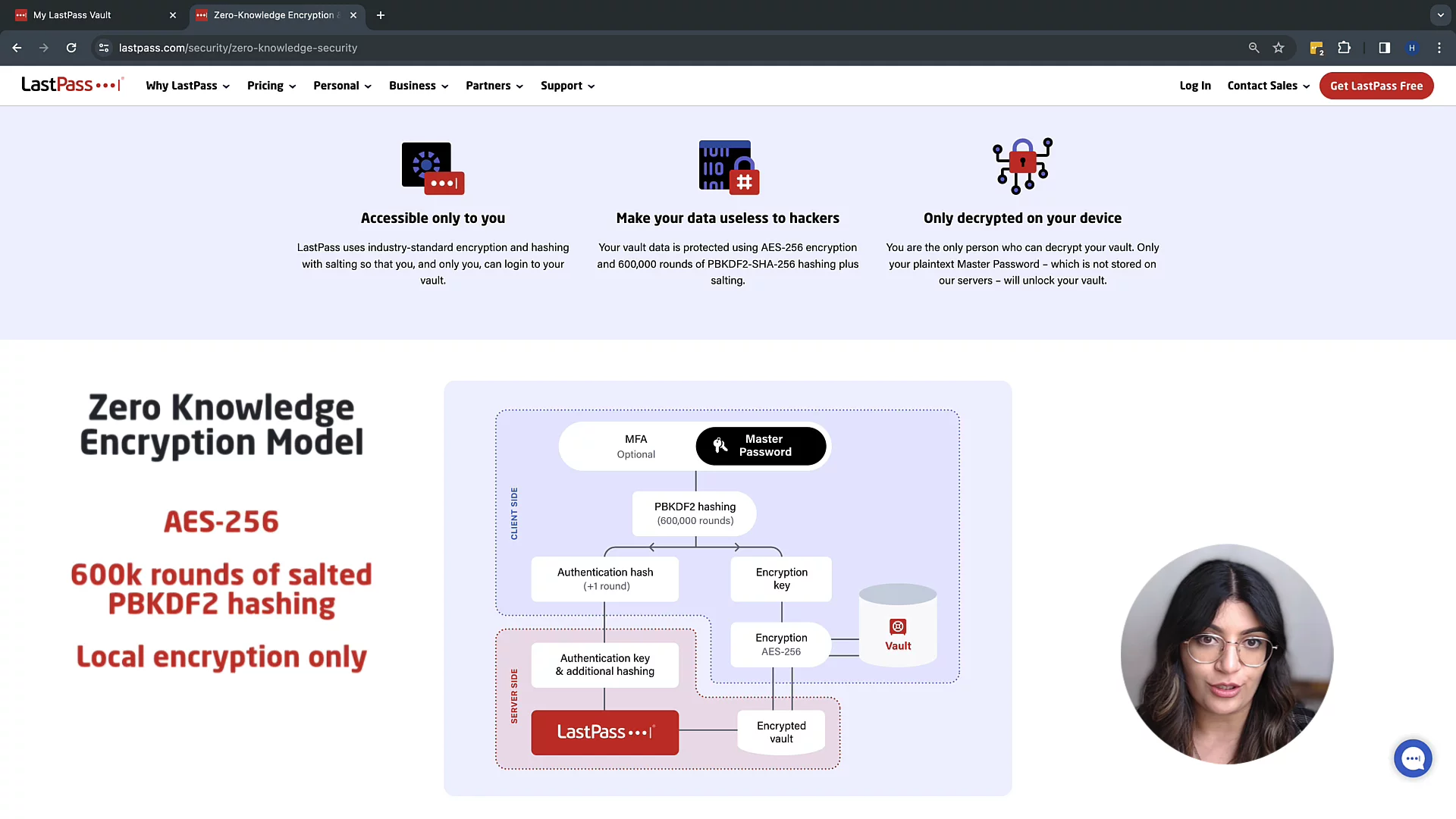
Zero-Knowledge EncryptionAES-256 encryption with 600K-round PBKDF2 hashing keeps data encrypted locally, ensuring only users can access their vault; offline access is possible.
01:57
Organize & Search Your VaultUse private or shared folders and the powerful search bar to quickly find items, even within entry details.
02:19
Browser Extension AccessAccess, add, and generate passwords right from your browser with the LastPass extension—no need to open the Vault.
02:36

LastPass
Take control of your security and productivity with LastPass’s cloud-based password manager. Effortlessly manage, share, and protect your credentials, ensuring your sensitive data is secure, private, and always at your fingertips.Learn more about LastPassMore Demos (4)
Interactive Demos (0)
Useful Links & Resources
Related companies