
Demo Summary
In this video, you will see how to set up Fortinet’s FortiGate firewall as a service. You’ll log into the cloud portal, place a new order, and choose your firewall model, location, and services. You’ll pick a single or high-availability setup, set IP addresses, and choose bandwidth. You will track the order, get the login password, and sign in to your new firewall. You will learn how to check your license, see billing dates, and test high availability. This pay-as-you-go service lets you quickly add strong security without big upfront costs.
AI-Detected Features
Overview and PrerequisitesIntroduction to Fortinet’s hardware-as-a-service firewall model and the requirement of 40 points available on the FortiCloud Marketplace.
00:02
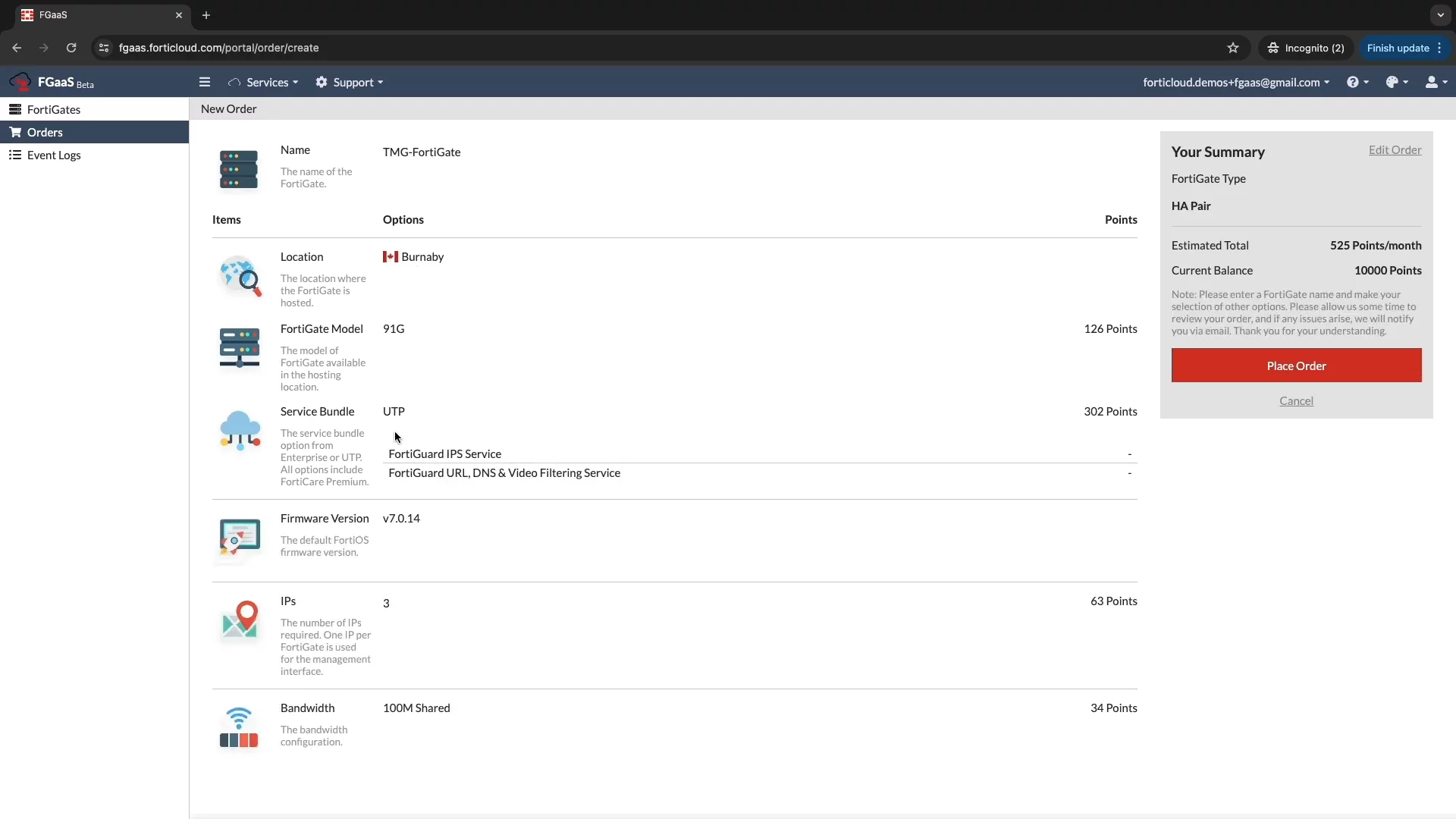
Logging In and Starting an OrderAccess the FGaaS portal, log in with your credentials, select the desired account, and click “New Order” to begin configuration.
00:25
Configuring Your Firewall OrderProvide a name, choose deployment location, select a FortiGate model, pick a security service tier, and add optional subscriptions.
00:44
Software Version and Deployment OptionsChoose your FortiGate software version, decide between single-unit or high-availability deployment, and note the IP address limits.
01:18
Setting Bandwidth and Placing OrderSpecify the required internet bandwidth (100 Mbps to 10 Gbps), review your choices, and click “Place Order” to finalize.
01:52
Order Confirmation and TrackingView your order details—including order number, provisioning status, and 40 points usage—and track real-time status under the FortiGate tab.
02:09
Firewall Activation and Billing InfoOnce active within minutes, your FortiGate shows its status and next billing date, helping you plan future security usage.
02:32
Accessing Your Firewall and Initial LoginSelect the deployed unit, copy the initial password from the View section, log into the management interface, and set a new password.
02:45
Verifying High Availability and License StatusIn the System settings, check HA status under “HA” and view your current FortiGate license on the dashboard.
03:12
Benefits and Use Cases of FortiGate as a ServiceLearn how FGaaS enables rapid, pay-as-you-go security deployments for MSSPs and enterprises, including SD-WAN, SSE, and wireless controller scenarios.
03:31

Fortinet
Fortinet is a global leader in cybersecurity solutions, providing integrated security across networks, applications, and cloud environments.Learn more about FortinetMore Demos (1)
Interactive Demos (0)
Useful Links & Resources
Related companies