
Demo Summary
In this video, you’ll learn how to use Forter Data Studio to build real-time dashboards that track your transaction data. You’ll see how to pick a date range, add KPI widgets for approval, decline, or chargeback rates, and make line or pie charts to view trends and card types. You can drag and drop widgets, set filters like country or amount, and save your dashboard. Then send it as a PDF or CSV report or let others view it. Forter Data Studio helps you understand your metrics to boost revenue and improve customer experience.
AI-Detected Features
Introduction to Florida Reports & InsightsGet an overview of Florida’s Decision Engine metrics and see how merchants can tailor reports to their needs.
00:06
Accessing Forter Data StudioLearn how to open Forter Data Studio from your homepage and view a real-time, interactive snapshot of your portfolio performance.
00:28
Creating a New DashboardAdd a new dashboard in FDS: choose the solution, set your date range, and give your dashboard a clear name.
00:55
Adding KPI WidgetsInsert key performance indicators—like approval, decline, and chargeback rates—choose whether to display dollars or transaction counts, and label your widget.
01:14
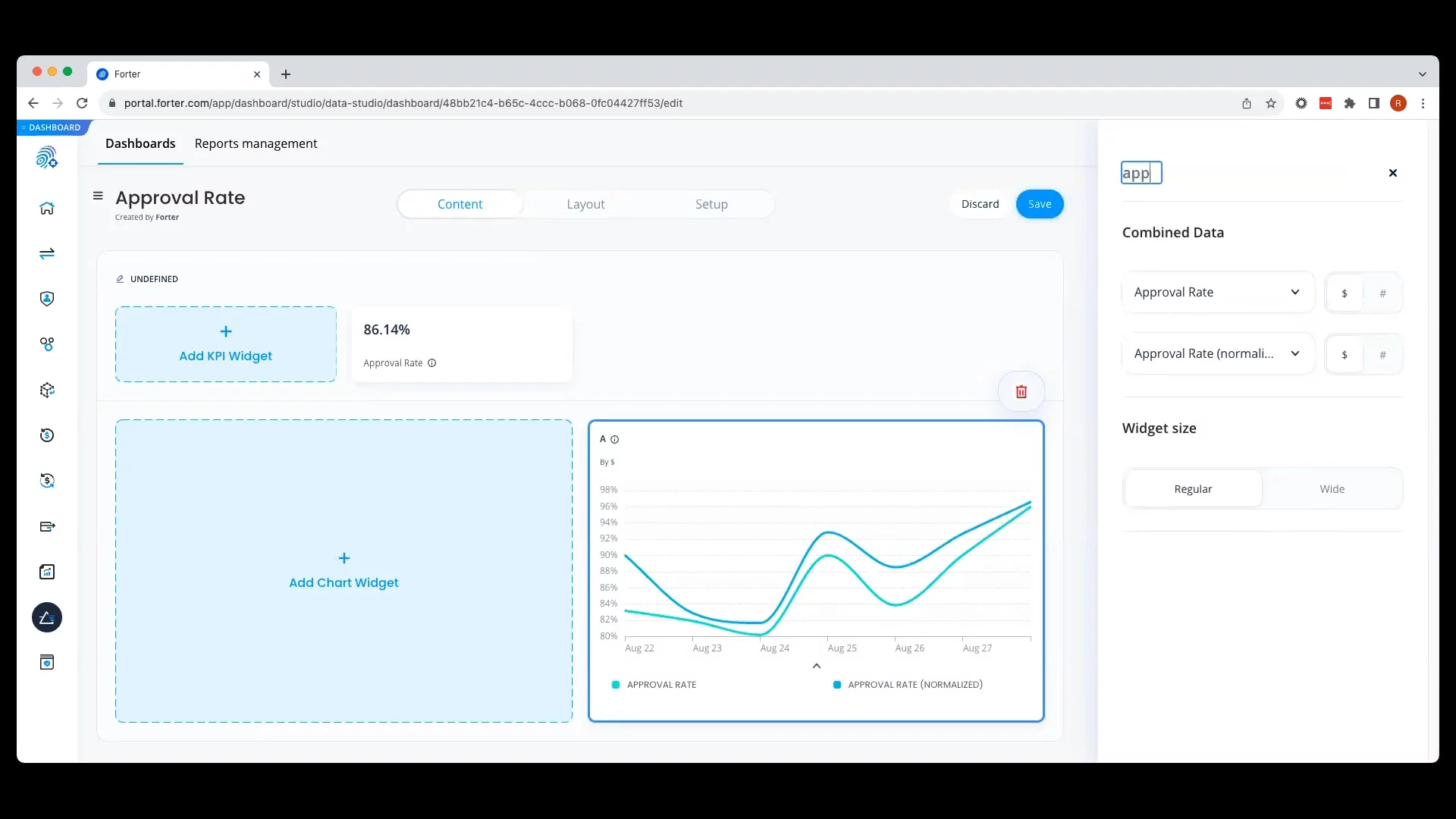
Adding a Line ChartBuild a multi-series line chart to compare metrics (e.g., approval rate vs. normalized approval rate), select display options, and set the chart title.
02:04
Adding a Pie ChartInclude a pie chart to show approved transactions by credit card type for an easy breakdown of your data.
02:42
Customizing Layout & FiltersRearrange your dashboard widgets via drag and drop, apply filters like country or result, and save your layout.
03:03
Exploring & Sharing DashboardsDrill into transaction details by clicking widgets, set dashboards as public or private, and understand who can access them.
03:32
Sending Reports & Next StepsSchedule and send dashboards as PDF or CSV reports, edit them anytime, and discover how Forter Data Studio drives insights and revenue.
04:31

Forter
Forter is the Trust Platform for digital commerce, empowering enterprises to generate more revenue and reduce losses to fraud and abuse.Learn more about ForterMore Demos (1)
Interactive Demos (0)
Useful Links & Resources
Related companies