Cognism

Demo Summary

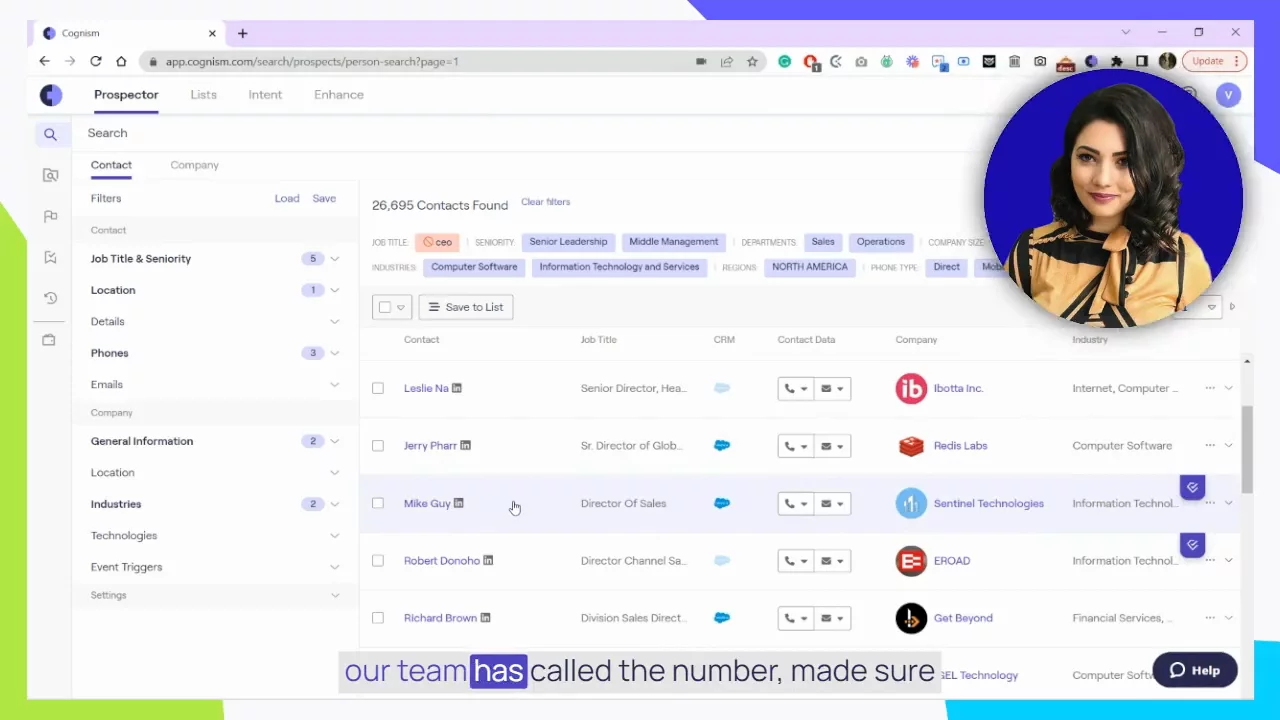
In this video, you will see how Cognizant helps sales teams find and reach the right buyers fast. First, you will watch a Chrome extension in LinkedIn Sales Navigator that shows phone numbers, emails, and warnings for do-not-call numbers. Next, you will learn to use the Cognizant web app to filter by company size, industry, or job role. You will see “Diamond Data” for verified contacts and how to export leads to your CRM or sales tools. Finally, you will use intent data to find companies already looking to buy and speed up your sales process.

AI-Detected Features

Introduction to the Cognizant PlatformWelcome to the Cognizant Platform Product Tour. Learn how top sales professionals connect with ideal buyers in target accounts faster and more efficiently than ever before.
00:00
Prospecting with Sales Navigator ExtensionSee how the Cognizant Chrome extension integrates with LinkedIn Sales Navigator. Select target accounts, filter decision-makers by role and geography, and reveal missing contact details.
00:26
Ensuring Compliance & Phone AccuracyUse filters to spot mobiles on national Do Not Call lists and identify our Diamond Data numbers. These research-verified contacts deliver 98% accuracy and a 20% connect rate.
01:15
Exporting Leads to CRM & IntegrationsSelect prospects directly from your search results and export them as leads or contacts to Salesforce, SalesLoft, Outreach and other major CRMs with just a few clicks.
02:15
Getting Started in the Web AppExplore the Cognizant web application. Use left-side filters to find contacts or companies by domain, industry, location, company size or an uploaded CSV of target accounts.
03:12
Refining Your Search for Phone OutreachNarrow results by seniority, department and available mobile or direct numbers. View Do Not Call status and request Diamond-verified numbers for guaranteed accuracy.
04:17
Saving & Exporting Contacts in Web AppSelect prospects from your filtered list, save them to a list, and push them directly to your CRM or sales engagement platform like Outreach or SalesLoft.
05:07
Using Advanced Filters to Drill DownLeverage additional filters—technology use, recent job changes, funding events or hiring activity—to refine your search and tailor outreach with timely, contextual insights.
06:07
Leveraging Intent Data to Prioritize AccountsSwitch to the Intent tab to see which target companies are actively researching your chosen topics. Configure up to five unique Bombora topics and view intent scores.
07:12
Turning Intent into Contact OutreachSelect high-intent companies based on search scores, jump back into Prospector, specify roles and departments, and retrieve contact details for decision-makers ready to engage.
07:52
Cognism logo

Cognism

Cognism is a premium sales intelligence platform that provides validated emails and phone-verified mobile numbers for key prospects to help businesses have more live conversations.Learn more about Cognism

More Demos (1)

Interactive Demos (0)

Useful Links & Resources

Related companies

ExactBuyer logo

ExactBuyer

Your automated sales & recruiting engine.

RocketReach logo

RocketReach

Helps find people's emails and phone numbers for business contacts.

VoilaNorbert logo

VoilaNorbert

Helps find people's emails and send messages to get more customers.