

UserGuiding
Create in-app experiences with the most straightforward product adoption platform — quick implementation, and lasting user engagement.About:
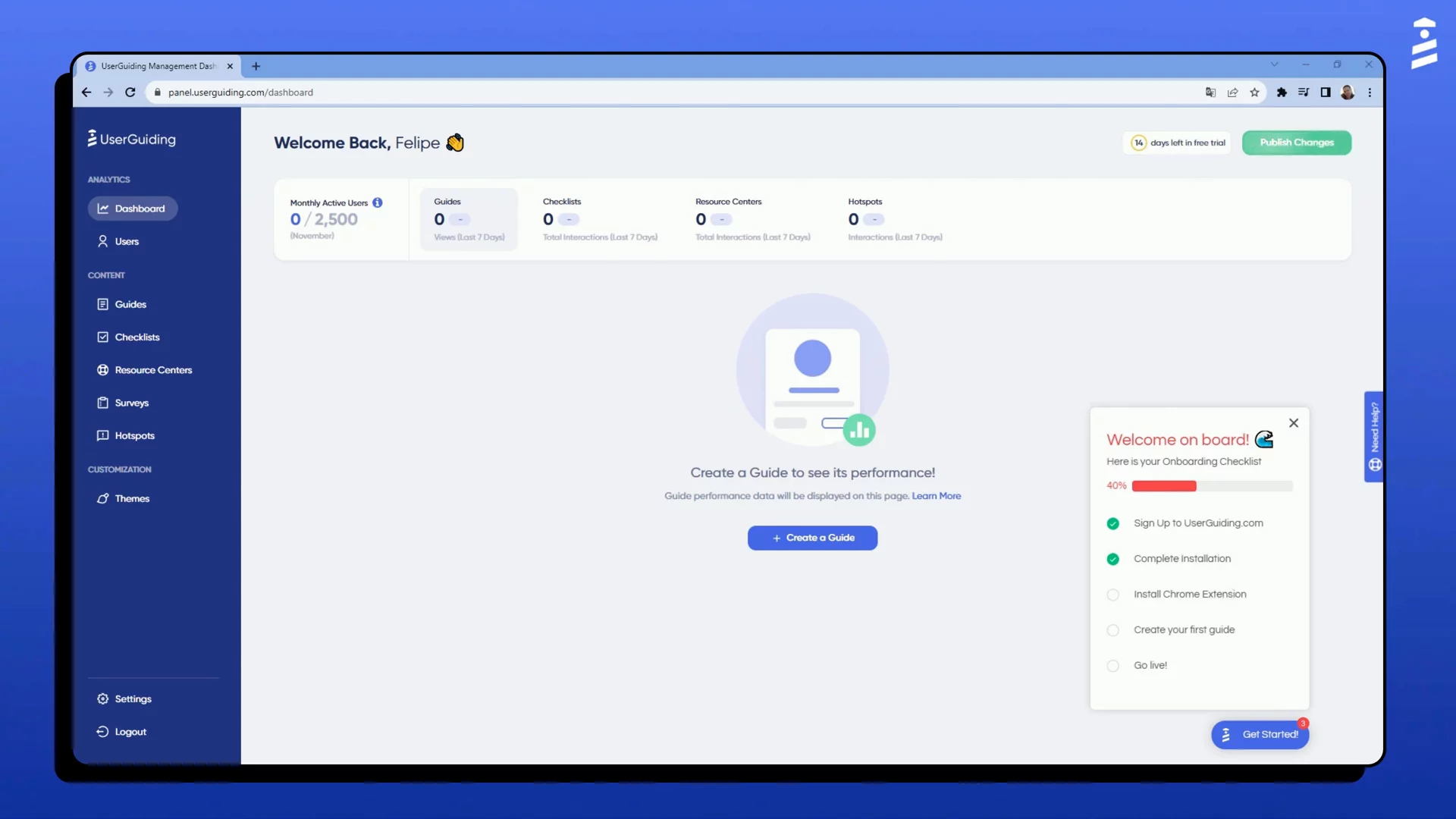
UserGuiding is a product adoption platform empowering product teams to create and improve in-app experiences
no-code and in minutes.
With UserGuiding’s all-around feature set, activate users, boost feature adoption, offer self-serve help, announce updates and collect feedback inside your product.
Meet users where they are, implement quickly, enjoy lasting engagement.
Best fit for:
Employee Count: 11-200
Location: North America
Industries: Software
Job Titles: Product Teams
Key Features:
- Interactive Guides
- Onboarding Checklists
- Tooltips and Hotspots
- Resource Centers
- In-App Surveys
- Knowledge Base
- Product Updates
- Analytics & Reporting
Company Summary
UserGuiding is a company that helps businesses create easy-to-follow guides and tutorials for their websites or apps. This makes it simpler for users to understand and use new features without needing help from customer support.
Price Estimate
UserGuiding offers several pricing plans:
- Basic Plan: $69 per month (billed annually) for up to 2,500 monthly active users.
- Professional Plan: $299 per month (billed annually) for up to 20,000 monthly active users.
- Corporate Plan: Starting at $499 per month (billed annually) with custom options.
For more details, visit their pricing page.
Who is UserGuiding for?
UserGuiding is designed for businesses of various sizes, from small startups to large enterprises. It’s especially useful for:
- Company Size: Small to large businesses (ranging from 10 to over 1,000 employees).
- Job Titles: Product Managers, UX Designers, Customer Success Managers, Marketing Managers, and Software Developers.
- Industries: Technology, E-commerce, Education, Finance, and Healthcare.
Features, Functionalities, and Benefits
UserGuiding offers several key features to enhance user experience:
- Product Tours: Create interactive guides to help users navigate your product. (userguiding.com)
- Onboarding Checklists: Provide step-by-step lists to ensure users complete essential tasks. (userguiding.com)
- Resource Centers: Centralize help articles and resources within your app. (userguiding.com)
- In-App Surveys: Collect user feedback directly through your application. (userguiding.com)
- Customization: Tailor the appearance of guides to match your brand. (userguiding.com)
Use Cases
Companies use UserGuiding for various purposes:
- User Onboarding: Guide new users through your product to ensure they understand its features.
- Feature Adoption: Highlight new or underused features to encourage users to try them.
- Customer Support: Reduce support tickets by providing in-app guidance and resources.
- User Feedback: Gather insights through surveys to improve your product.
- Employee Training: Train staff on internal tools and processes using interactive guides.
Who Are Their Best Customers?
UserGuiding serves a diverse range of customers. While specific customer stories are not provided in the available sources, the platform is utilized by companies across various industries to improve user onboarding and product adoption.
What Makes UserGuiding Different?
UserGuiding stands out by offering a comprehensive, no-code solution for creating in-app guides and tutorials. Its user-friendly interface allows teams to build and deploy onboarding experiences quickly, without requiring technical expertise.
Legal Info:
For more information, you can visit UserGuiding’s Privacy Policy and Terms of Service.
More Demos (1)
Interactive Demos (0)
Useful Links & Resources
Related companies

Reef.ai
Predicts churn, drives expansion, and boosts revenue using AI-powered customer insights.

Supered
Supered helps users learn software and enforces digital processes.

Productboard
Product teams learn what customers need, pick features, and get everyone on the same page.